Install instructions
How to install your MamiyaPan Pro kit.
Read through this whole guide before you start. The conversion is reversible, but the parts are small and the tolerances matter. Set aside an evening and work over a tray.
Before you begin
What's in the box
- 18-notch frame spacing disc. Laser-cut 1075 spring steel, 0.015" thick. This replaces the OEM 9-notch disc.
- Gate mask. Self-adhesive vinyl base plus two rigid PET strips. This changes the 645 gate to the panoramic opening.
- Viewfinder overlay. Clear transparency film with frame lines for composing the panoramic frame.
- Sandpaper. 220 grit. Use it only for a specific catching tooth or for fitting the PET strips. Don't pre-sand the disc.
What you'll need from your bench
- Phillips screwdriver (JIS 00 is ideal)
- Small E-ring removal pick or a flat blade (e.g. X-Acto knife)
- Tested: Dremel rotary tool with the Dremel 84922 Silicon Carbide Grinding Stone, 4.8 mm.
- Optional / untested: watchmaker's cutting broach set (~$20, sizes 0.6 - 2.0 mm). This may remove the flange more gradually than a Dremel, but I have not tested it yet.
- Tweezers, a clean tray for tiny parts, and good light
- A phone camera. Take pictures as you go.
Compatibility
This kit is for the Mamiya 645 Pro film back. Pro backs usually have a red dark slide and no rubberized texture on the bottom. The 645 Super back uses a similar frame spacing assembly, and the kit can physically work on it, but the install is much harder.
After the right side plate comes off, look for the three screws as marked below. If your back has another fourth screw at the bottom left, stop and compare it against this guide before going further. That version is harder to work on and is not officially supported here.
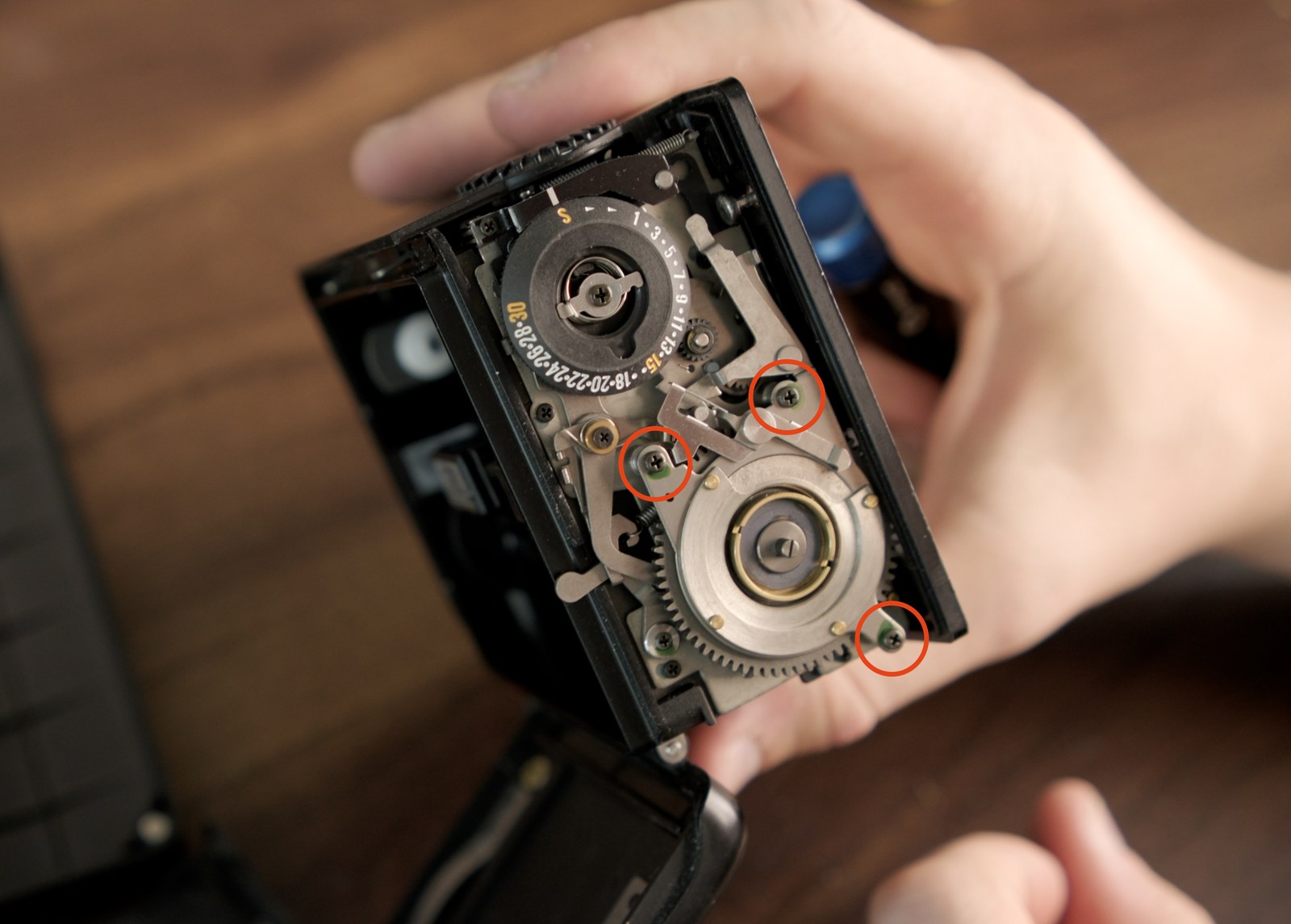
The gate mask also uses small molded features in the Pro back for alignment. Those features are different on Super backs, so if you try this on a Super you may have to center the vinyl mask by eye. I don't offer support for the Super beyond what is on this page.
Part 1 - Remove the back from the camera and open it up
-
Remove the right side panel. Remove the four indicated screws holding the panel in place, and keep their positions organized.
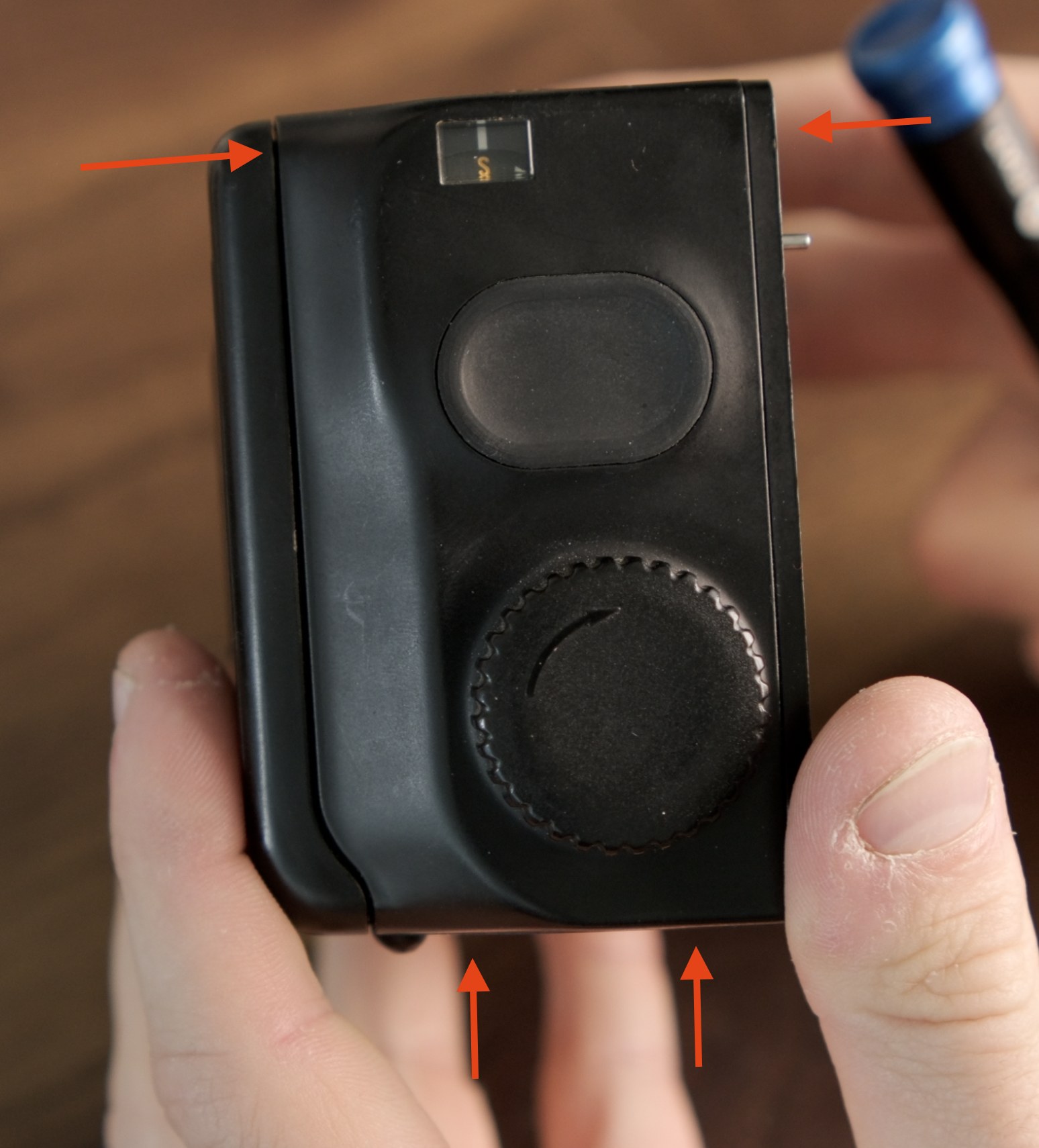
Keep the side-panel screws organized so they go back in the same holes. -
Remove the frame counter disc and return spring. Note how the spring is routed, then lift the counter disc and spring out together, and set them aside.
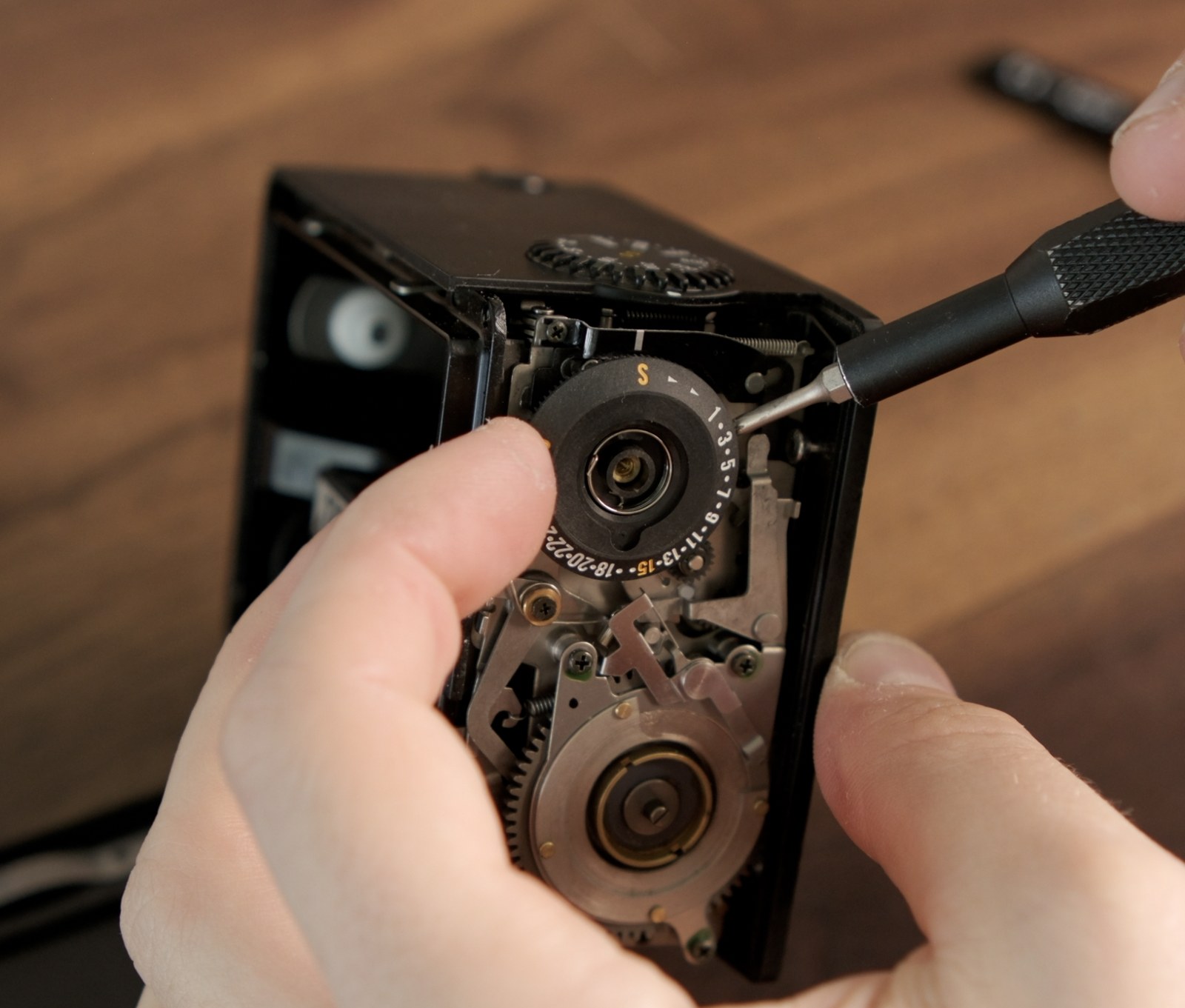
- Remove the lever plate above the frame spacing disc. This is the small plate/bridge carrying the levers and posts that connect the shutter-advance motion to the lever riding on the disc teeth. Remove its 3 screws, and lift it out carefully as a unit. Don't lose its small spring.
-
Watch for the ball bearings under this area. You can lift them out with a magnet and then carefully set them aside. Try not to lose any, but if you do, the mechanism should run without them.
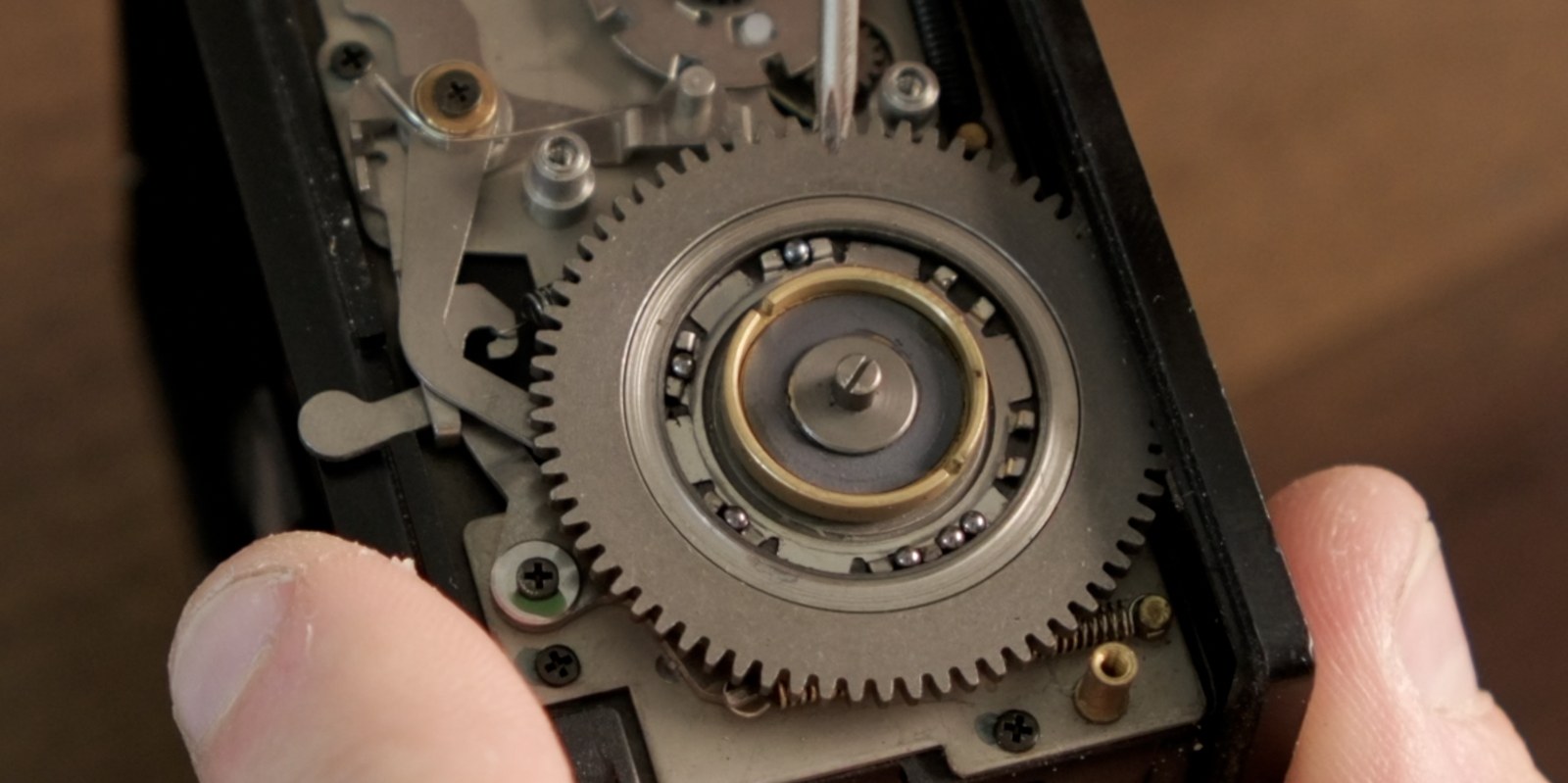
The ball bearings sit under the lifted lever plate and can escape. -
Remove the E-ring holding the frame spacing assembly down. Work over a tray and cover the E-ring with a finger or tool as you remove it; it can pop loose suddenly. Once the E-ring is off, the frame spacing assembly can lift straight out.
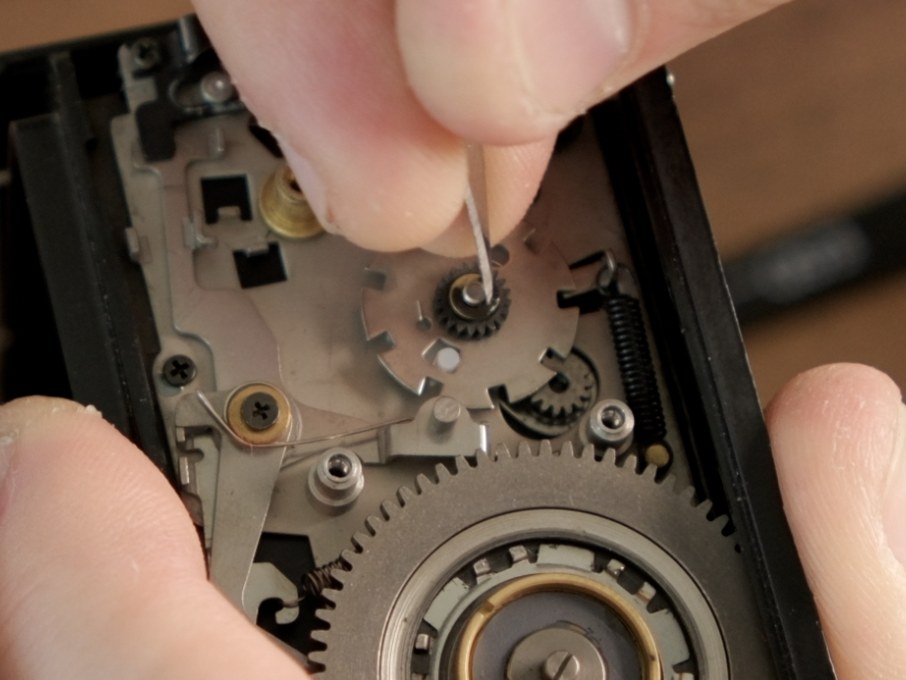
Cover the E-ring while lifting it so it doesn't spring across the room.
Part 2 - Disassemble the frame spacing assembly (the hard part)
By the end of this part, the stock frame spacing assembly should be separated into its individual parts: a small black gear on top (Part A), the OEM 9-notch frame spacing disc in the middle (Part B - the part you're replacing), a white plastic gear underneath (Part C), the brass bushing, and the small wire coupling spring.
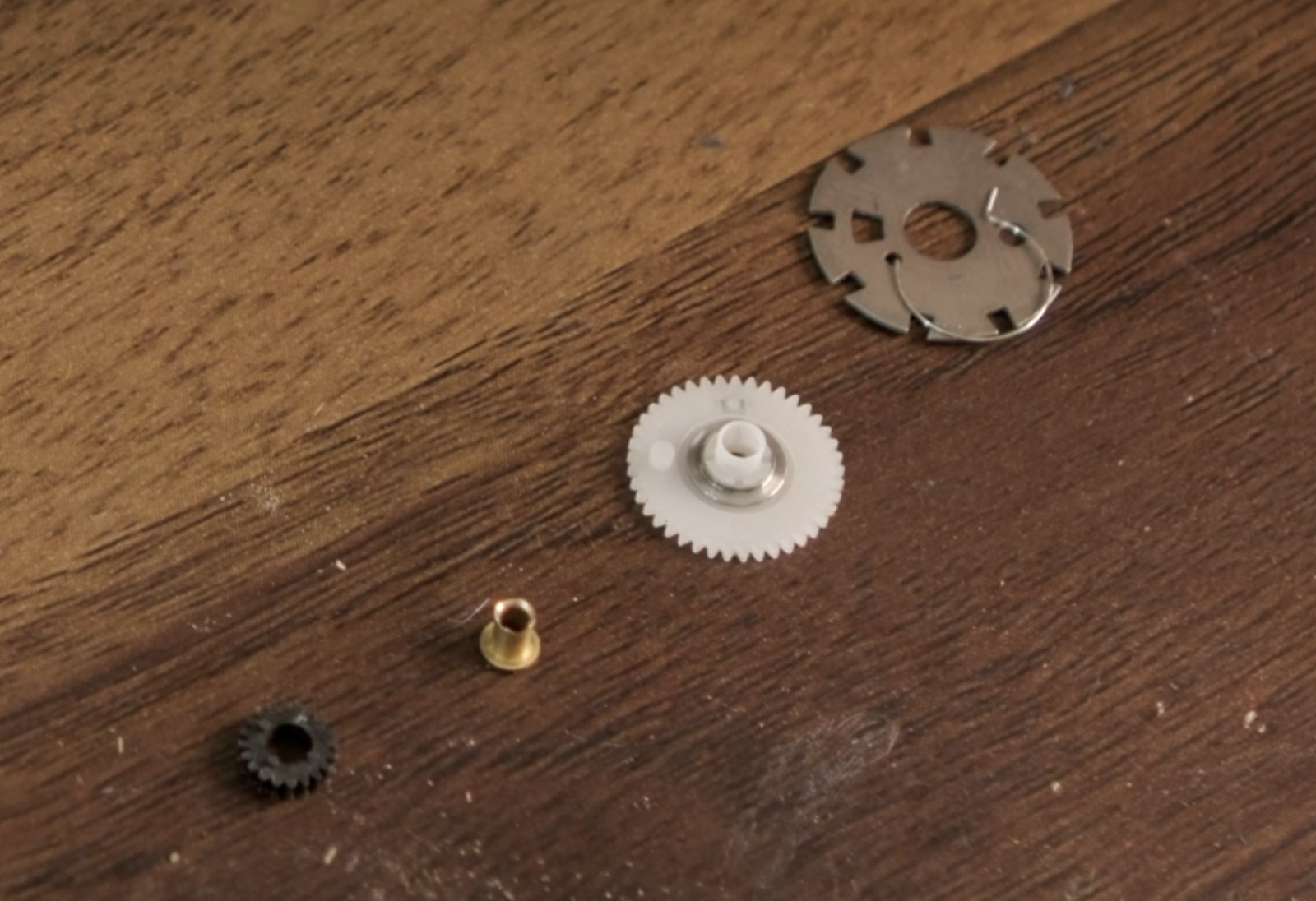
The thing stopping that separation is a small retaining flange on the brass bushing. It locks Part C onto the stack, so Part C cannot slide off until the flange is gone. Pulling harder is how Part C cracks. Ask me how I know.
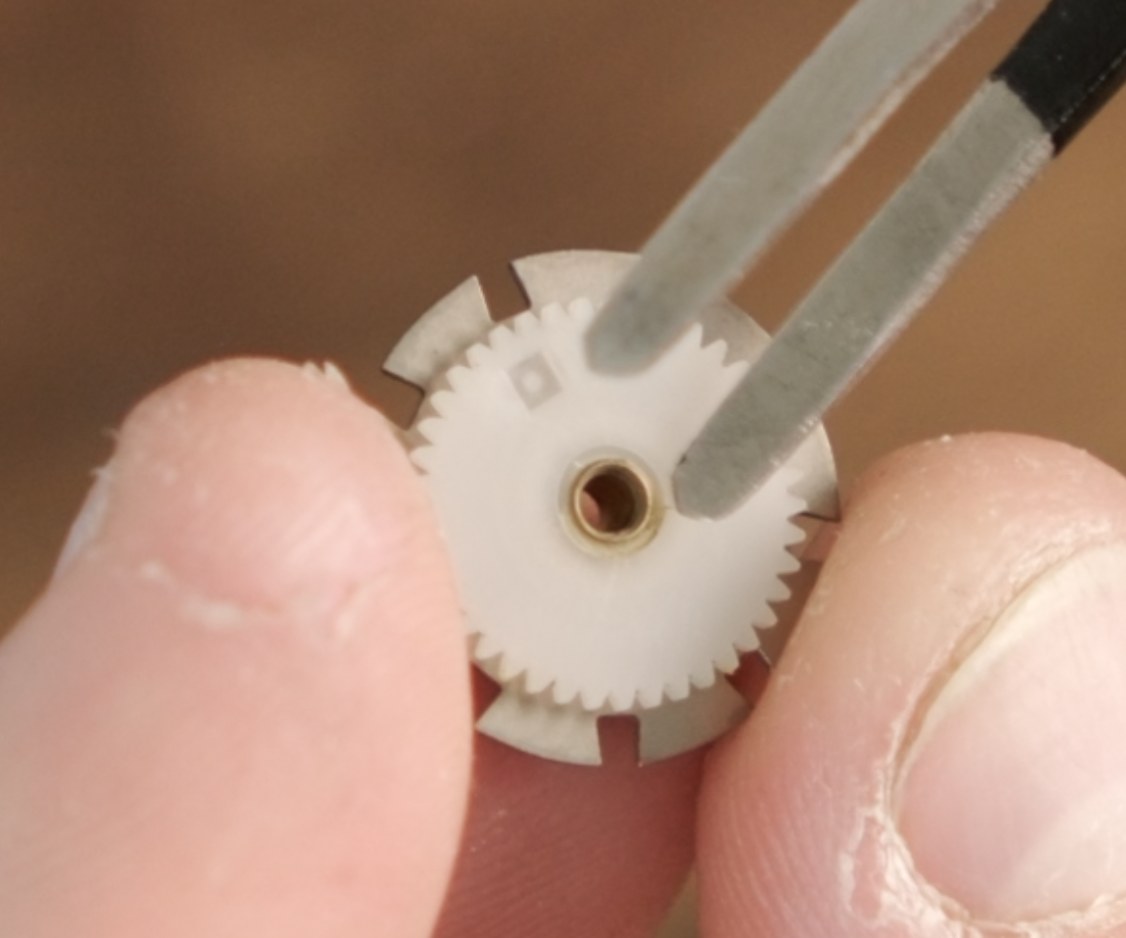
Dremel with 4.8 mm grinding stone (tested / recommended)
Use a Dremel rotary tool with the 4.8mm 84922 Silicon Carbide Grinding Stone or similar. Remove only the small brass retaining flange so Part C can slide off the bushing. Don't drill out the bushing, and try not to grind the plastic gear.
-
Lift the entire frame spacing assembly straight out of the back.
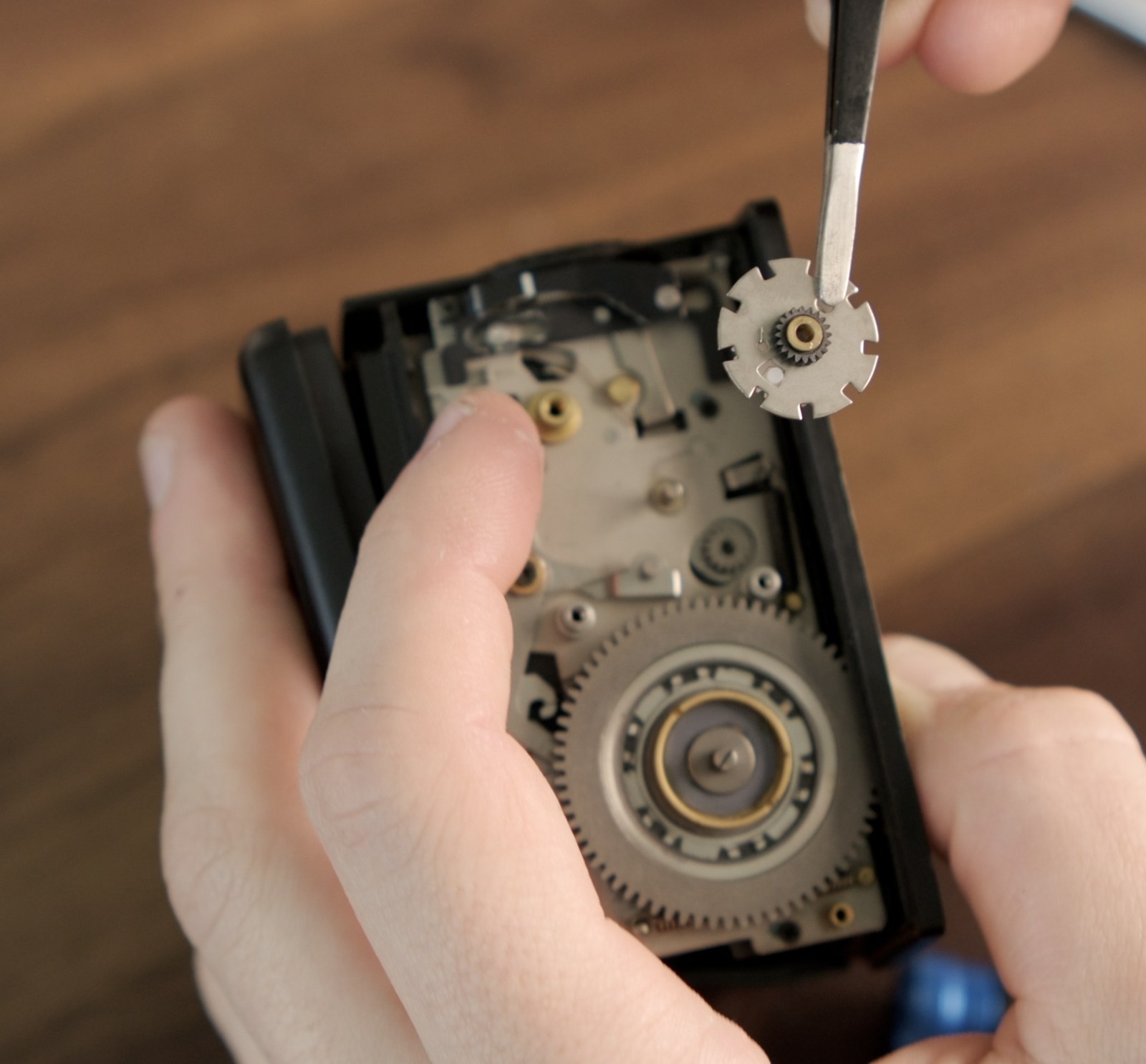
Lift the stock frame spacing assembly straight out once the E-ring is off. -
Hold the assembly between your fingers, flange end out. Run the Dremel at low to medium speed. Touch the stone to the brass flange only - keep it off the plastic of Part C.
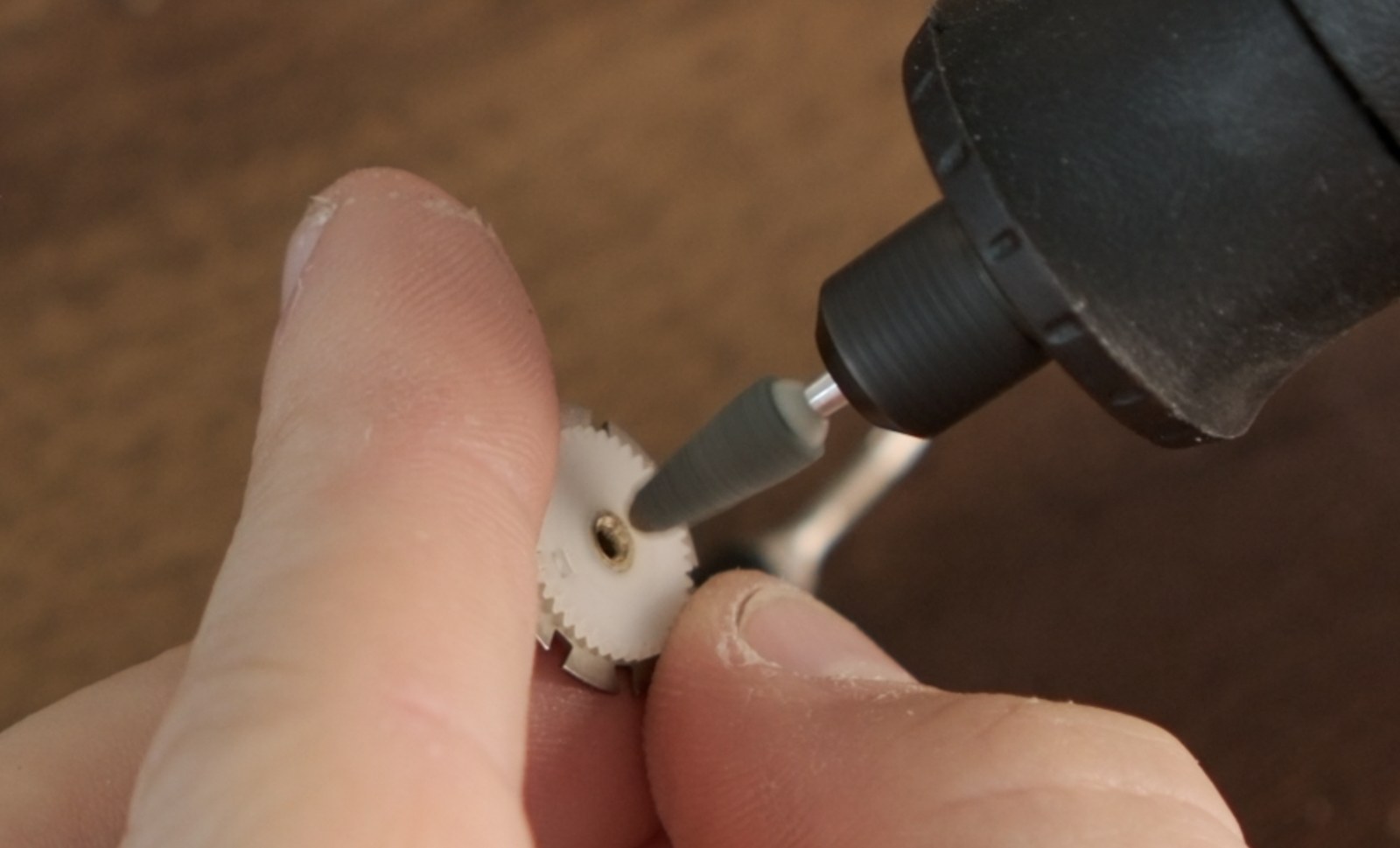
Use light passes on the brass flange only. Stop often and check whether Part C lifts off freely. - Grind in light passes. Stop every few seconds and check whether Part C has freed up. Don't grind aggressively through the whole flange. Remove most of the lip with the Dremel, then scrape the last thin bits of brass away with a sharp blade or X-Acto knife.
- Once the brass lip is gone, carefully separate the frame spacing assembly. Don't try to force or pry the white plastic gear off. Part C should lift off with light pressure; if it still feels locked on, remove a little more brass first.
- Set Part C and Part A aside in your tray. The small wire coupling spring goes with them. Part B is the OEM frame spacing disc - save it, it's how you revert later.
Optional / untested - Cutting broach
A watchmaker's cutting broach may also work by thinning the brass lip from inside the bushing. I have not tested this yet. Use the Dremel method above if you can; treat the broach as an experiment if you don't have a rotary tool.
Removing the flange is permanent. The flange only keeps the parts captive while the assembly is out of the back. It's not part of the indexing action. The friction fit usually still holds the stack together, but keep working over a tray while swapping parts.
Part 3 - Swap the disc and reinstall the frame spacing assembly
-
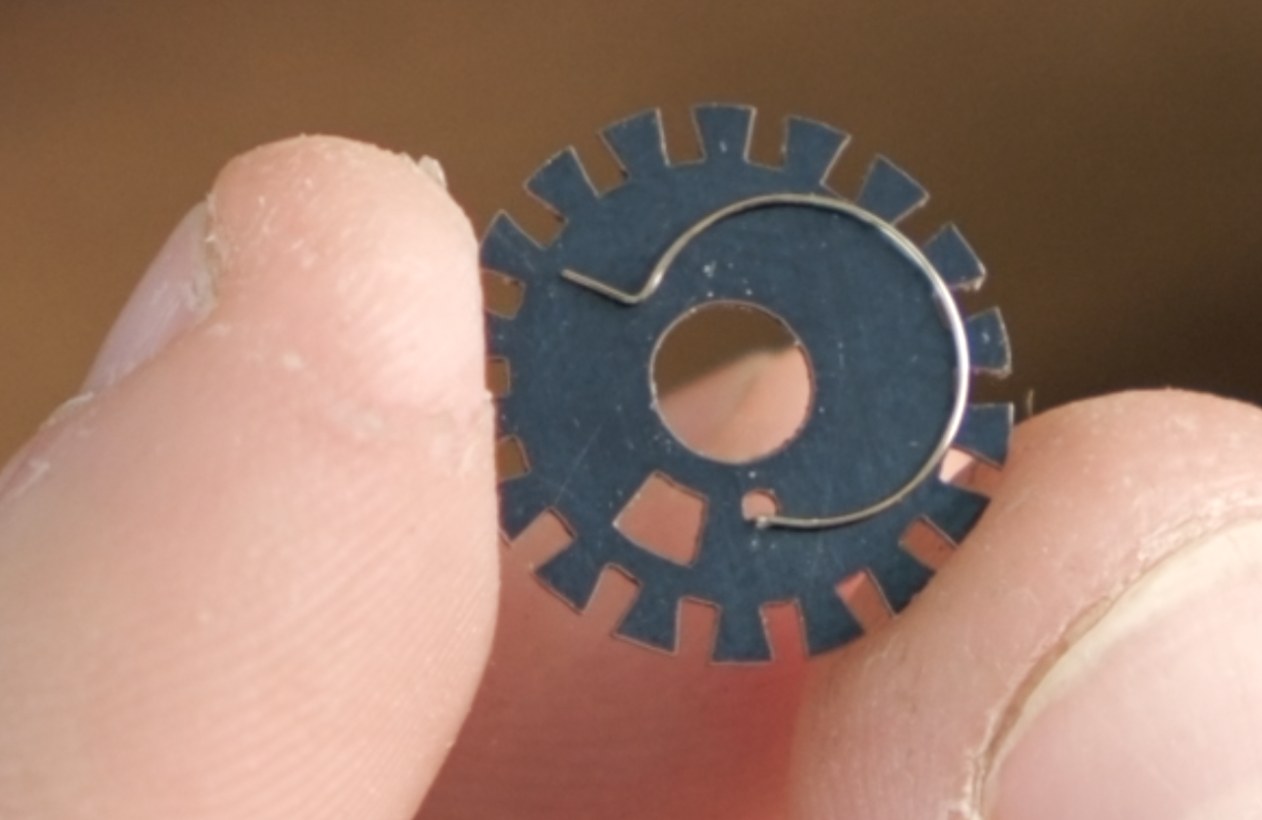
Transfer the wire coupling spring to the new disc. Hold the new disc so the small hole sits to the right of the arc slot. Insert the spring tail into that small hole.
-
Bring Part C back onto the new disc. Make sure to keep its metal ring in place. The white plastic gear's tab must engage the spring and ride in the arc-shaped slot. Try spinning Part C counterclockwise until its tab falls into the slot.
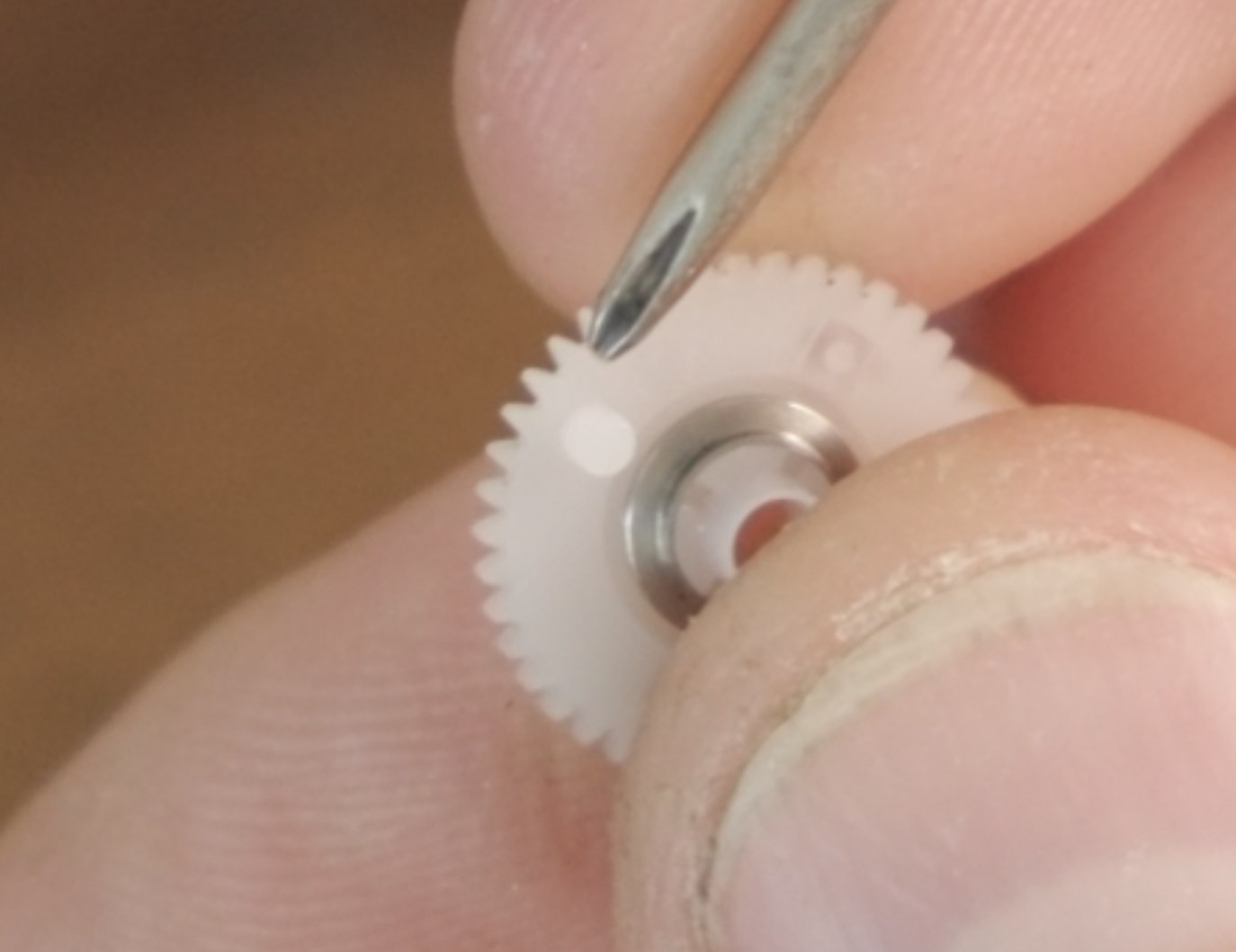
This tab loads the spring so the mechanism can jump forward when the shutter fires. 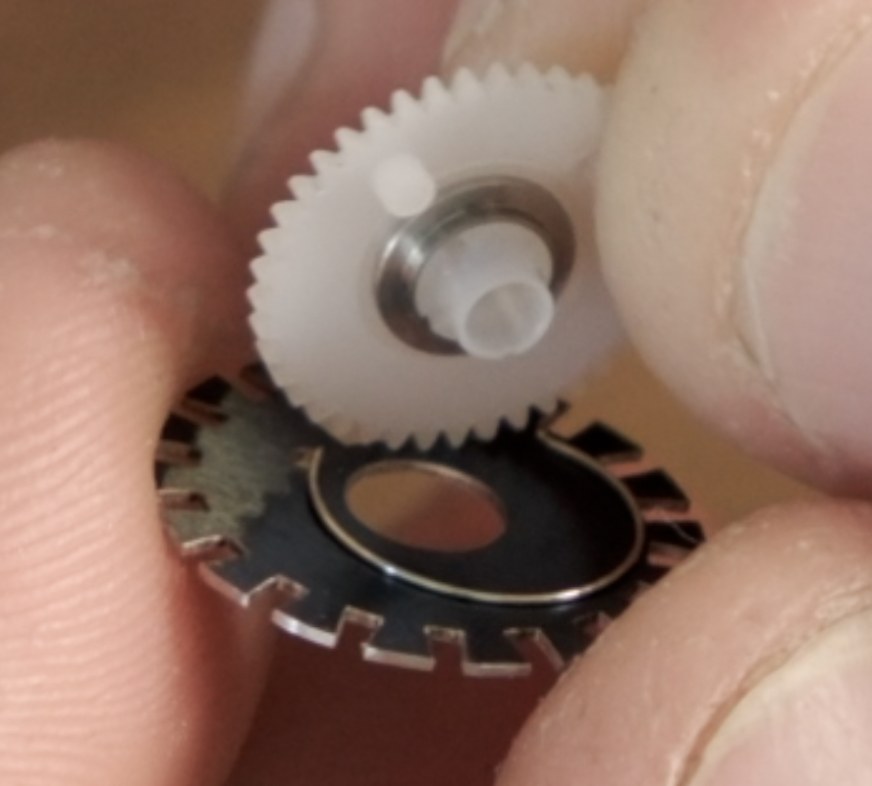
The gear tab engages the spring and rides in the arc slot. -
Add Part A and the bushing. With Part A stacked on the bushing, slide the bushing back into Part C's opening. Try not to force it. Note the nubs sticking out of Part A, and align them with the corresponding slots in Part C - Part A only goes on one way.
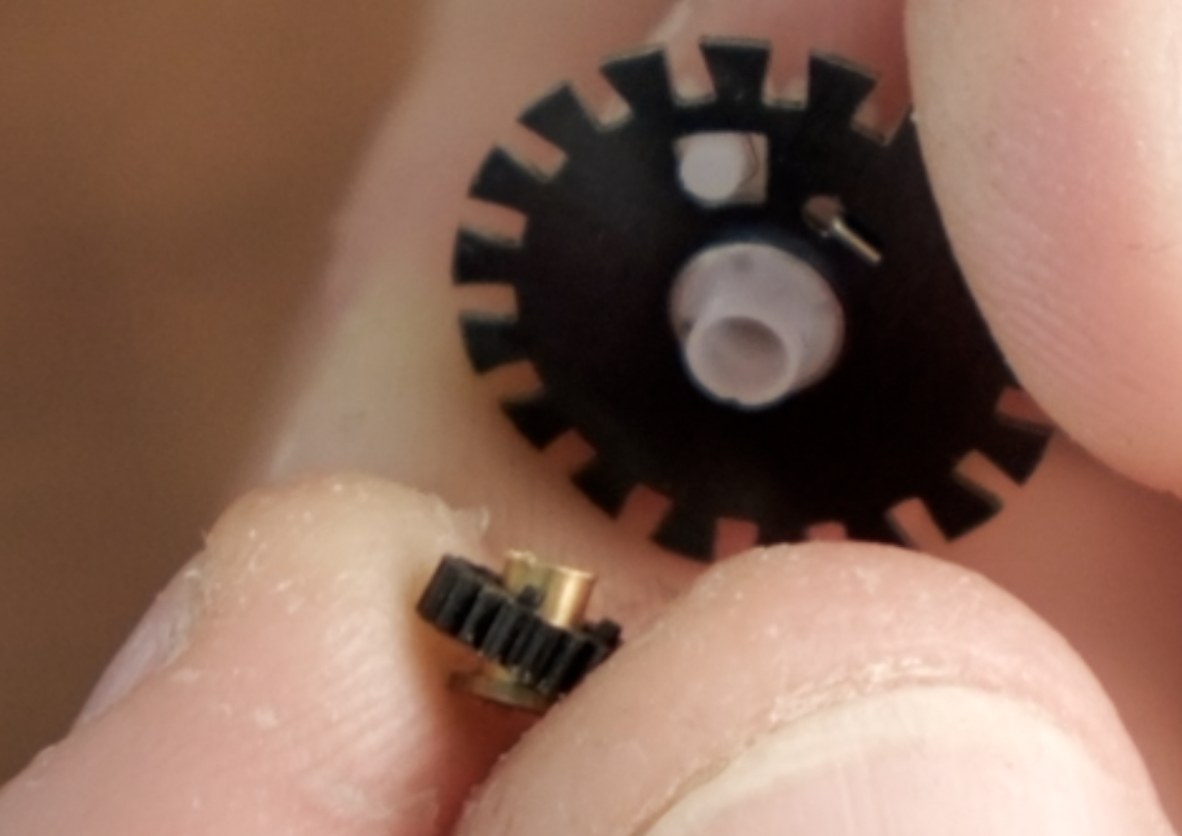
Bring Part A and the bushing back onto the new disc after the spring is seated. 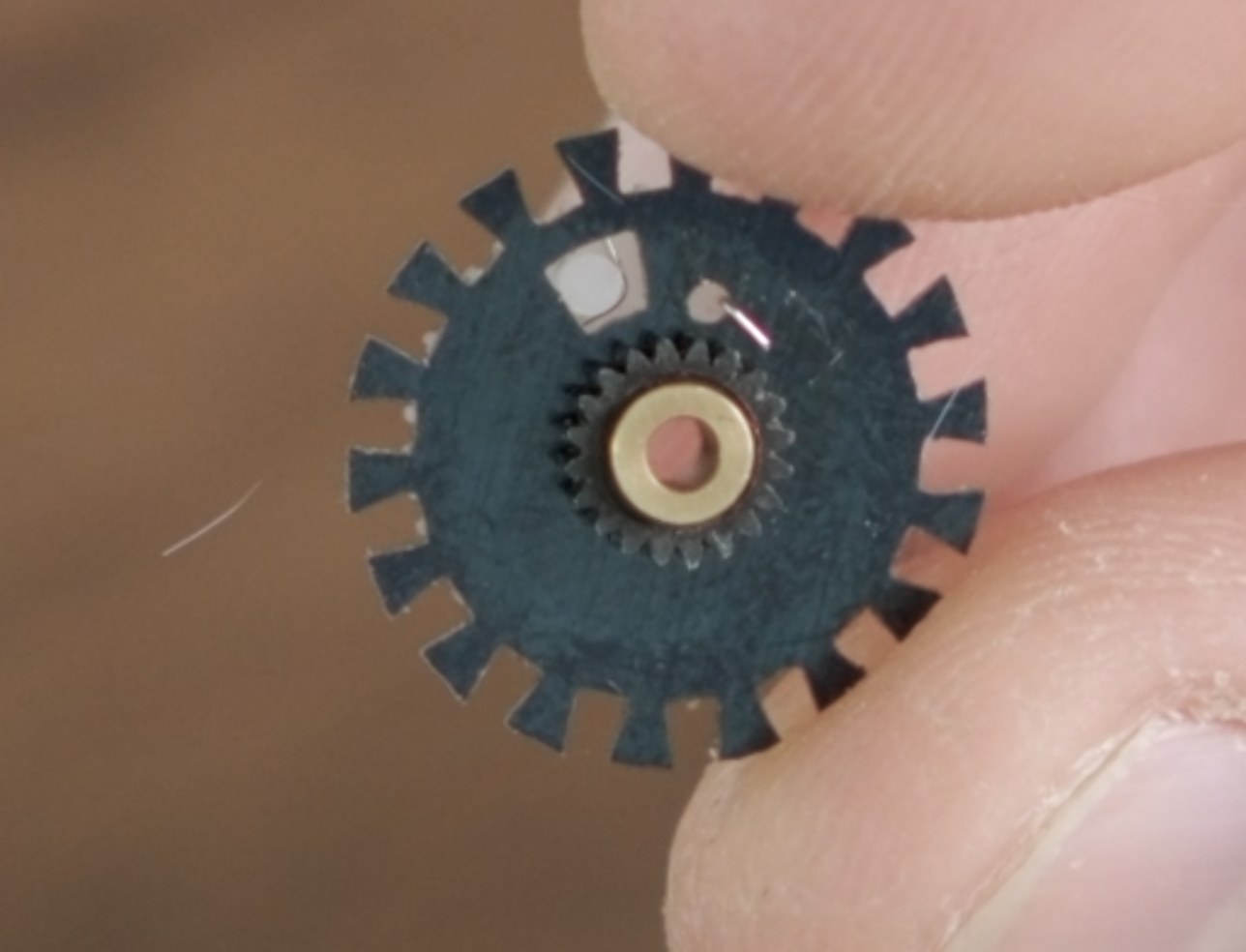
The reassembled A/B/C stack, ready to check before it goes back in. - Check the spring action before it goes back into the back. When the stack is assembled correctly, the spring loads and releases cleanly as the parts rotate. You should be able to hear it snap back.
-
Lower the stack into the back in the same orientation it came out. The friction fit should still hold the stack together after the flange is removed. Work over your tray, and don't force anything. Move the adjacent gear or lever only as much as you need.
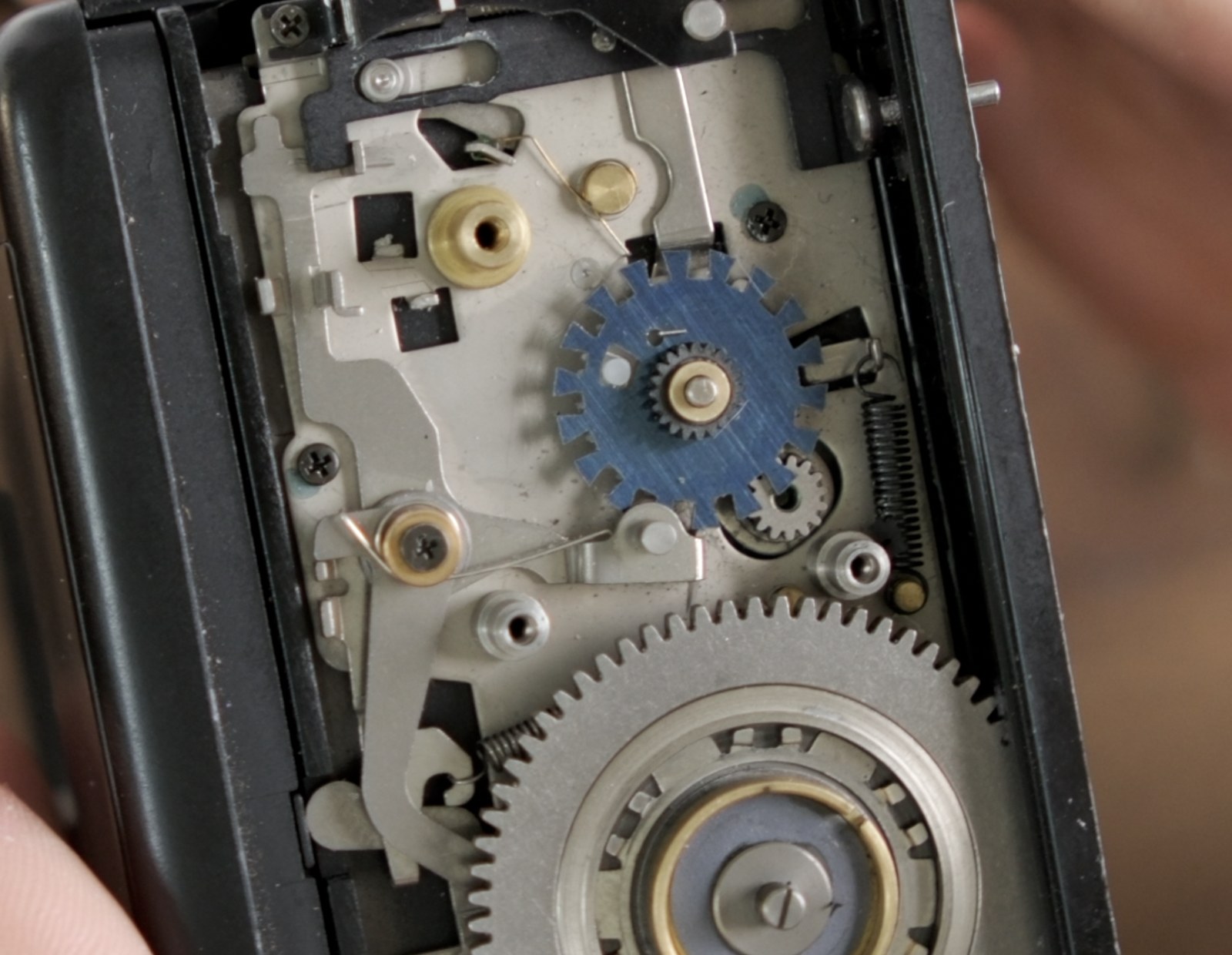
Lower the new stack back into the same position it came from.
Stop here before reinstalling the ball bearings, lever plate, counter disc, or return spring. The first dry test should happen with only the modified frame spacing assembly back in place.
Part 4 - First dry test and fix any issues
With the modified frame spacing assembly installed and the lever plate still off, do the first dry test. This is when it's easiest to remove the disc - if one tooth needs adjustment, you want to find it before the rest of the mechanism goes back on.
Don't rely on visual inspection. Small surface issues can be hard to see, but they show up when the disc catches, feels rough, drops early, or fails to advance cleanly.
- Cycle the installed disc through all 18 teeth. Watch and feel for each tooth stepping cleanly. This is not the final 30-frame test yet; this first pass is only checking the new disc while it is easy to remove.
-
Watch for these problems:
- Catching: the disc hangs up partway through an advance.
- Roughness / early drop: one tooth feels different from the rest, jumps, or drops into the next channel early.
- Non-advance: the mechanism doesn't move to the next stop, especially after a tooth has already been sanded.
-
If one tooth catches, feels rough, or drops early, stop and mark the exact tooth or sector. Keep checking the remaining teeth before sanding so you know whether it is only one spot.
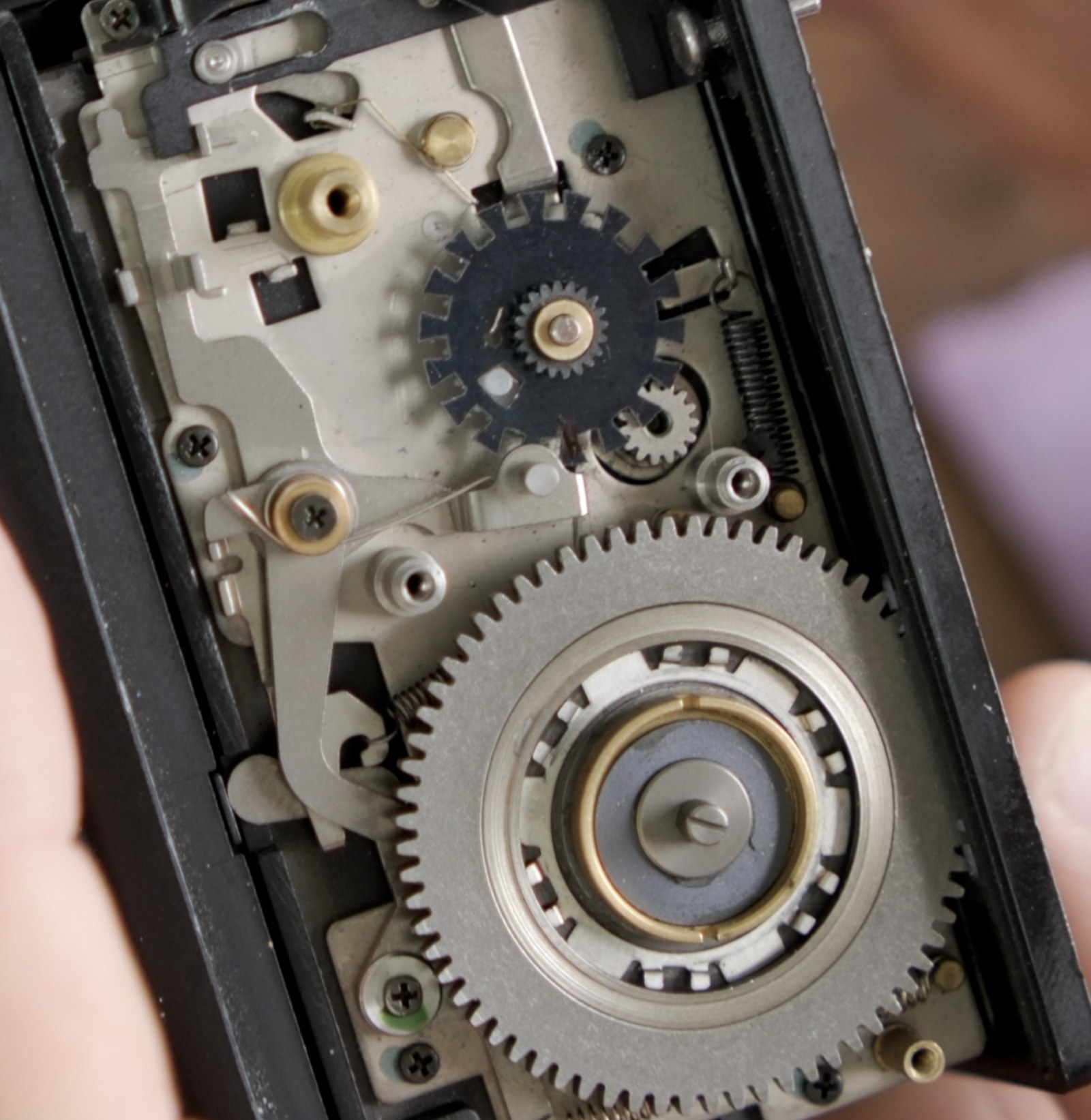
Mark the exact tooth or sector that misbehaves, not the whole disc. -
For catching, roughness, or early drop, sand the marked spot in the direction of travel. Remove the assembly again and use the included sandpaper on that tooth or sector only. You are removing a tiny high spot or rough edge, not reshaping the whole tooth.
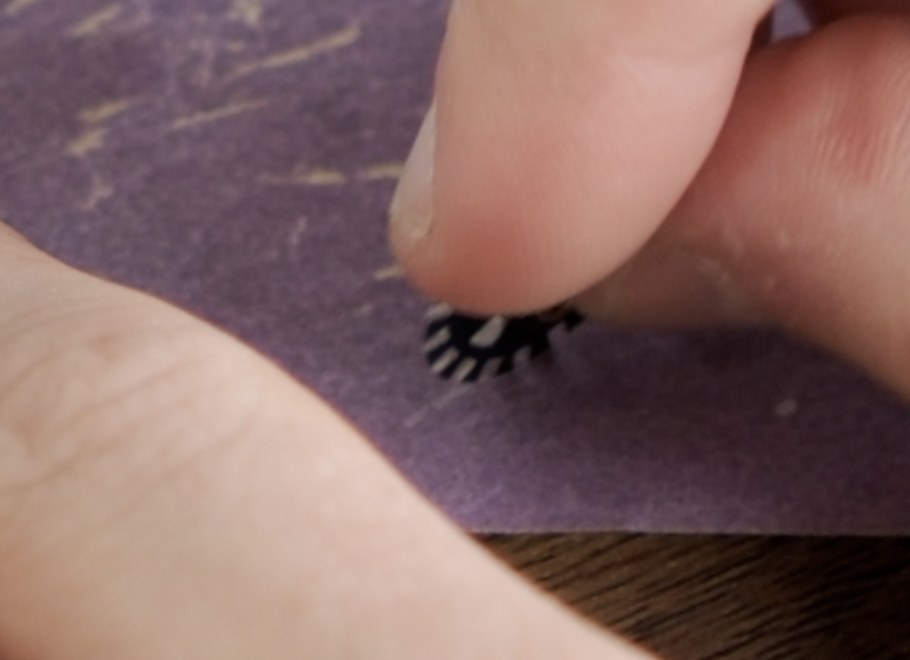
A few light passes on only the marked spot, then reinsert the assembly and test again. - For non-advance after sanding, add texture instead of removing more material. Brush the marked spot very lightly with the sandpaper perpendicular to the direction of travel. This should only scuff the surface enough for the lever to grip; don't try to visibly change the tooth shape.
- Make one small correction, then stop. The bad spot may be hard to see, so let the dry test guide you: correct a little, reinsert the assembly, and run the 18-tooth check again.
- If the problem feels broader, doesn't point to a specific tooth, or keeps coming back after light correction, stop and email support. Send photos or video of the open-side dry test to support@mamiyapanpro.com so I can tell whether this is a part issue, an assembly issue, or something else in the back.
Make small corrections. Too rough can catch; too smooth can fail to advance. Work on one marked spot at a time, test, and repeat only if the dry test still shows the same issue.
Part 5 - Reassemble and run the final dry tests
Once the first 18-tooth dry test is clean, put the rest of the mechanism back together and test again under the real loads. Keep the side panel off until these dry tests pass.
-
Reinstall the ball bearings and lever plate. Put the ball bearings back first and then reinstall the lever plate above the frame spacing disc. This is the part that lets the camera's shutter action engage the mechanism.
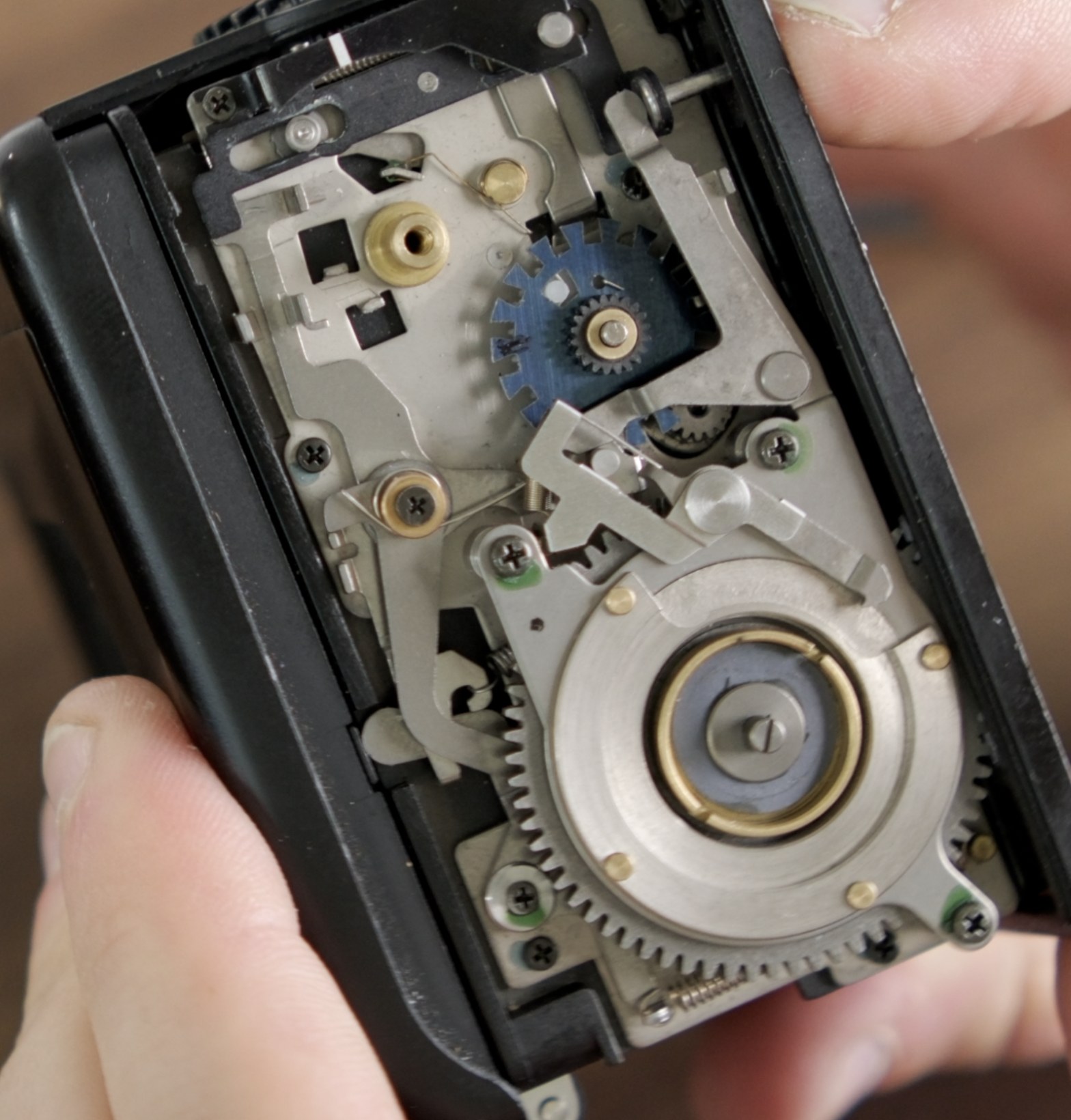
After the first dry test is clean, reinstall the lever plate over the new disc. -
Reinstall and align the frame counter disc. Start with the counter around 1, then rotate it back to S and advance the mechanism. The lever should land on a tooth as the counter reaches 1. If it drops into a gap, lift the counter disc, rotate it slightly past 1, press it back down, and test again.
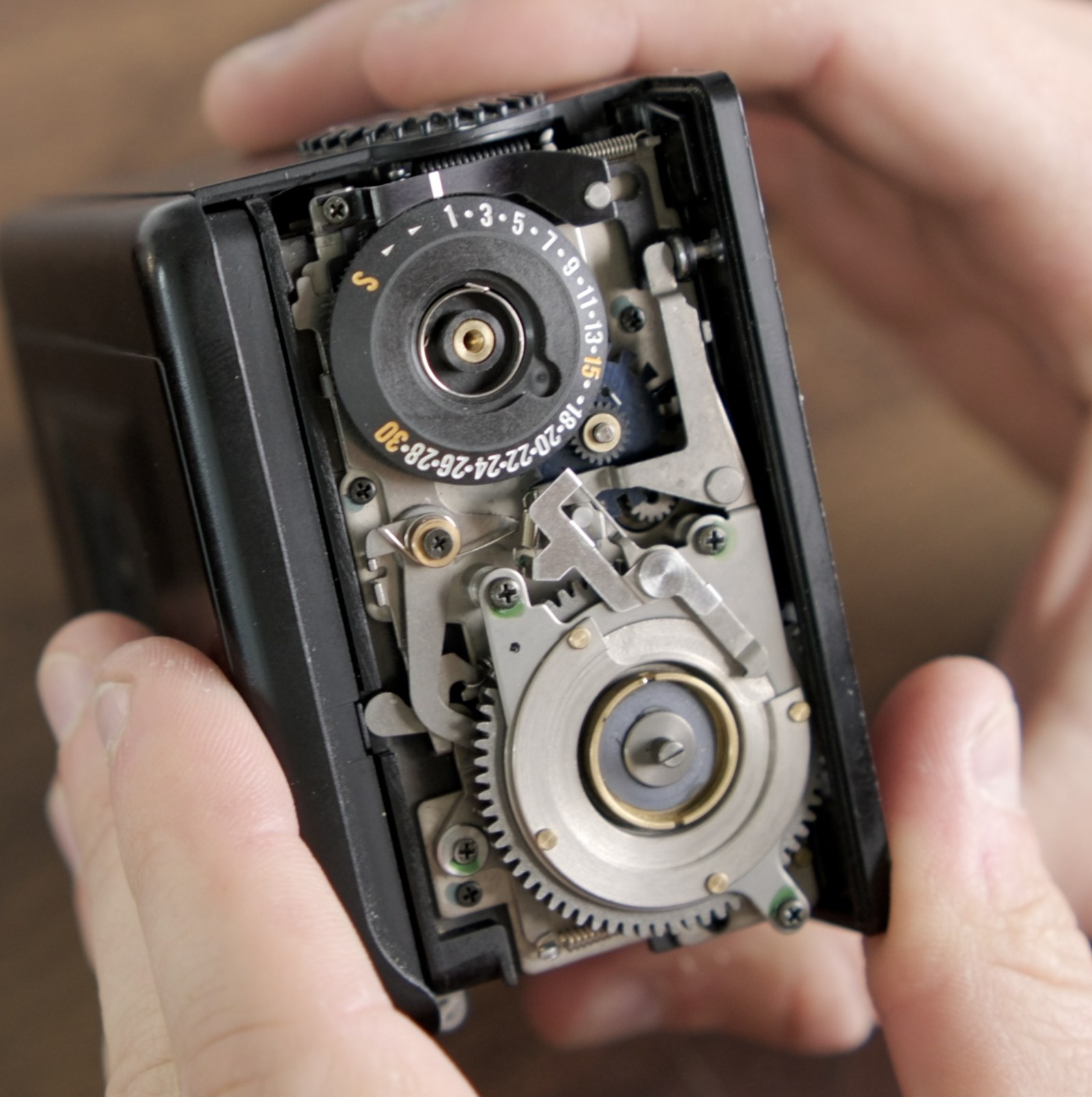
The lever should land on a tooth as the counter reaches 1. -
Reinstall the frame counter return spring with minimal tension. Around one turn of preload at S is enough. The spring only needs enough tension to return the counter to S. Extra tension works against the advance mechanism.
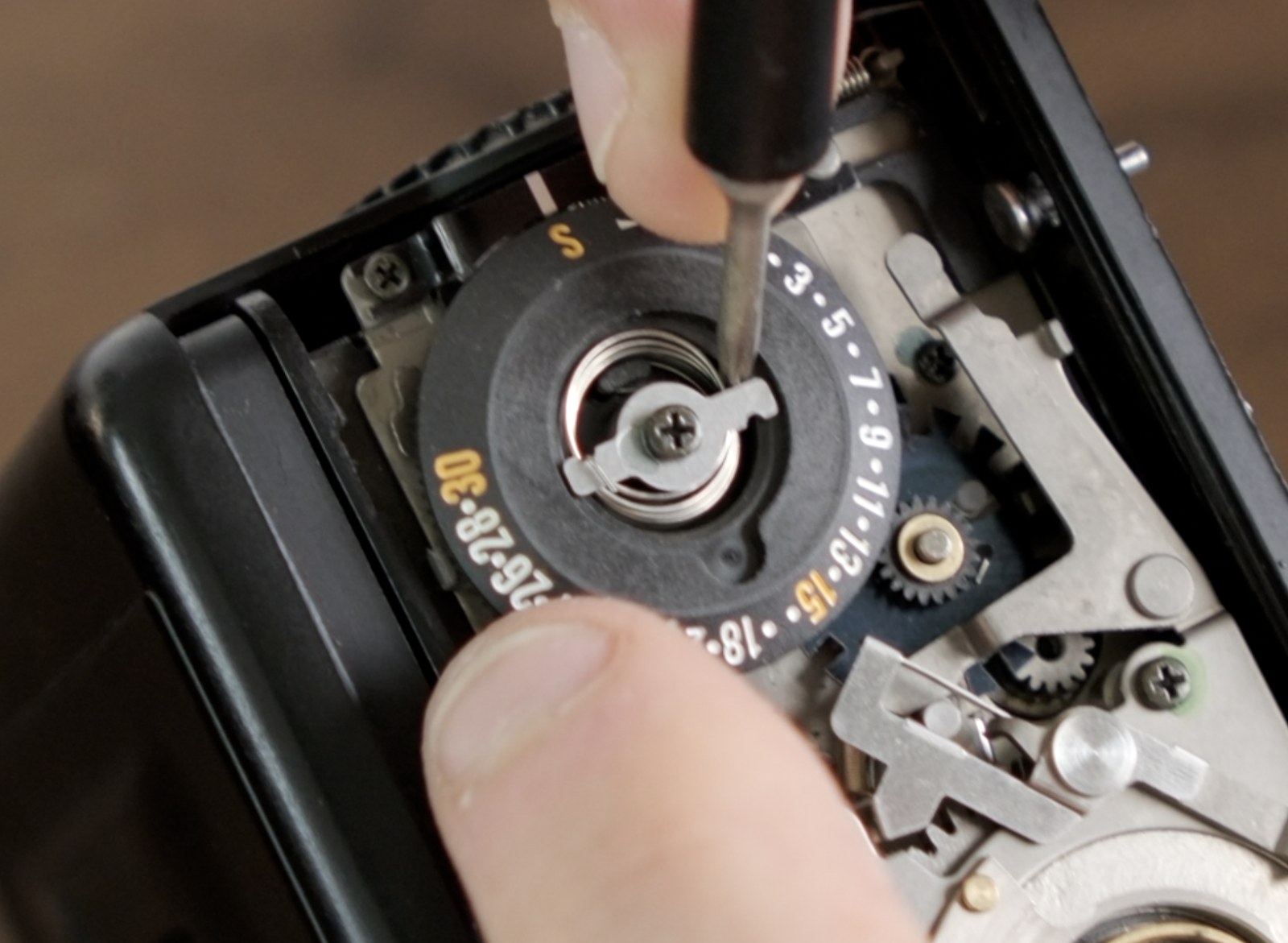
About one turn of preload at S is enough to return the counter. - Check that the counter returns to S when you open the back. If it doesn't, the return spring isn't hooked correctly. Take it off and re-seat it.
- Decide whether to reinstall the E-ring. In my installs, the surrounding parts retain the frame spacing assembly once the back is reassembled. The E-ring mainly gives extra insurance for keeping the stack together when the mechanism is out of the back. Reinstall it if you want the original retention. If it fights you, it's okay to leave it off.
- Run a full open-side 30-count dry test. With the lever plate, counter disc, and return spring installed, cycle the mechanism until the counter reaches 30. If anything catches, stutters, or feels different under the counter-dial load, go back to Part 4 and correct the exact tooth.
-
Run the camera-mounted dry test. Attach the back, remove the darkslide, reset the counter, and fire/wind through a full 30-frame cycle. Still no film. The side panel can stay off for this test.
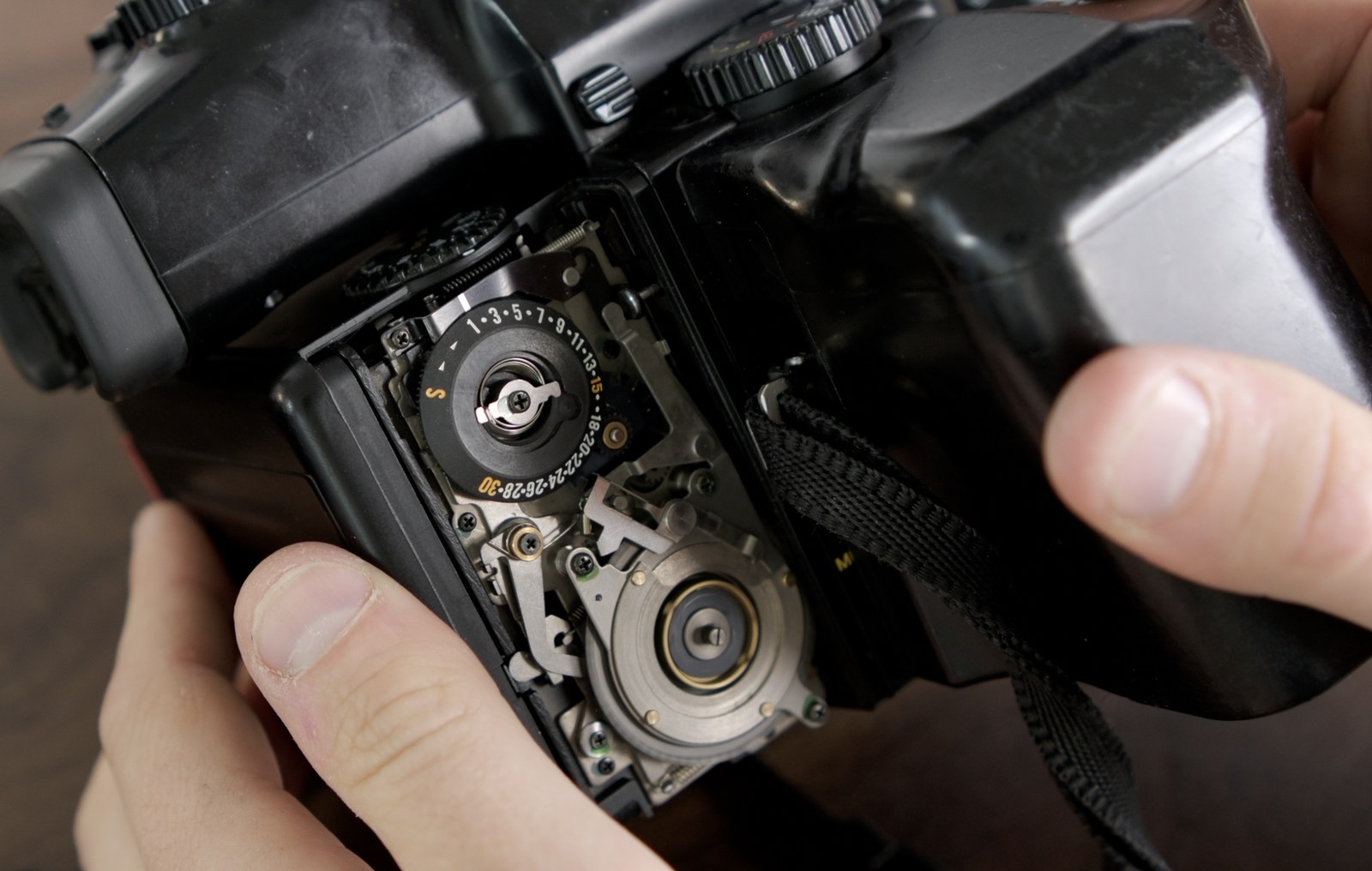
Mount the back and fire/wind through a full 30-frame cycle with no film loaded. - Optional cold check: if you want to stress the mechanism a little, put the back in the refrigerator for 20-30 minutes, then repeat a dry cycle. This is optional, but useful if the mechanism felt close to catching before sanding.
- Reinstall the side panel after the dry tests pass. Put the right side panel back on and return the screws to their original positions. If anything binds while the panel is going on, stop and reopen it rather than forcing the panel down. After the panel is on, make sure the mechanism still starts and advances normally before moving to the gate mask.
Please don't load film until the final dry tests are clean. A part can look fine in your hand and still jump under real counter-dial load.
Part 6 - Install the gate mask
The gate mask is what changes the film gate from full 645 to the narrower panoramic opening. The adhesive vinyl does the rough masking, and the two rigid PET strips define the straight frame edges.
-
Remove the front panel (the lens-side panel of the back). Before it comes off, note the small loose peg on the bottom-right of the panel. That peg tells the back it is attached to the camera, which is what lets the darkslide release. If you lose it, stop and contact support before loading film. (Pro back only; Super backs don't have it.)
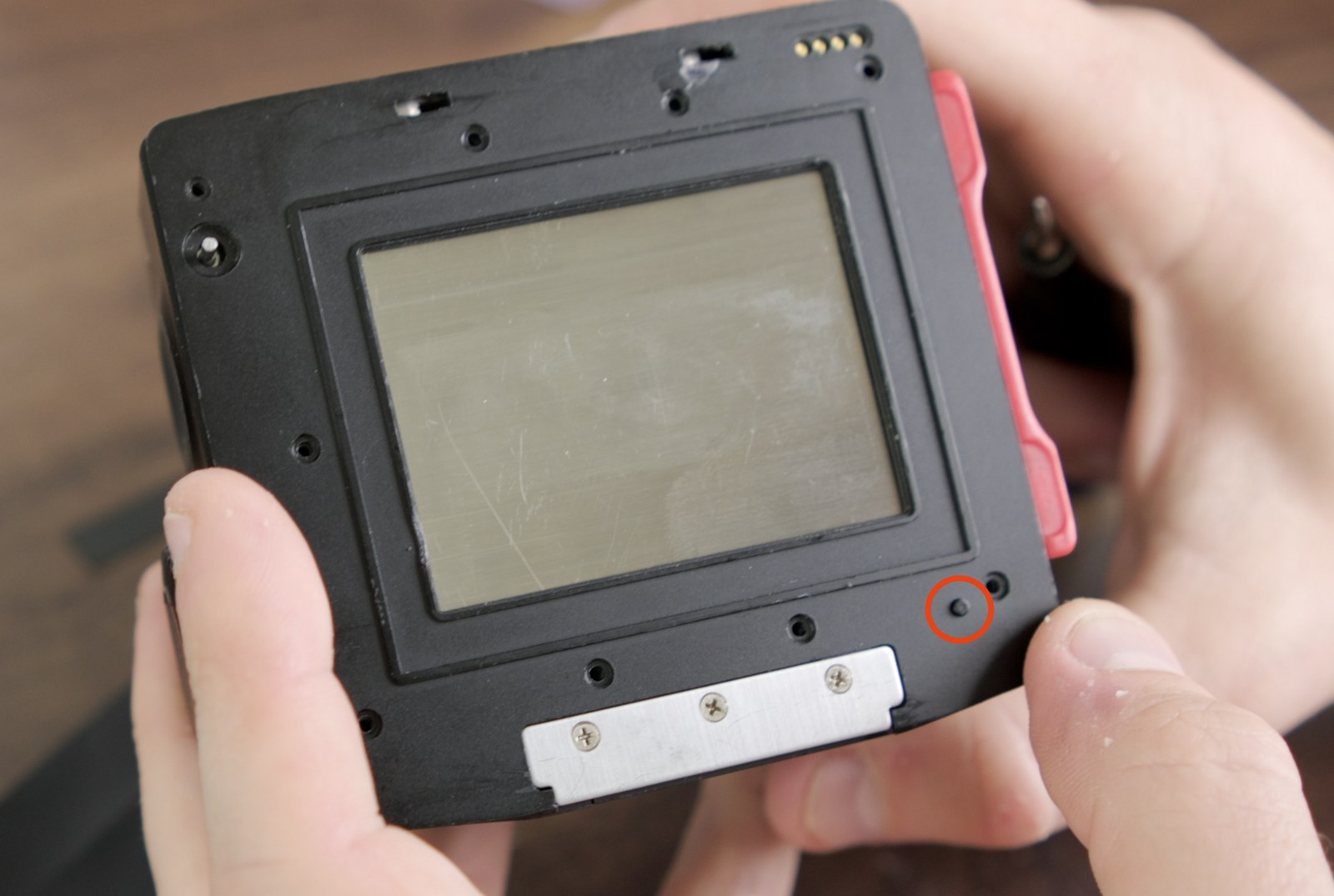
The circled peg is loose once the front panel comes off. Don't lose it. 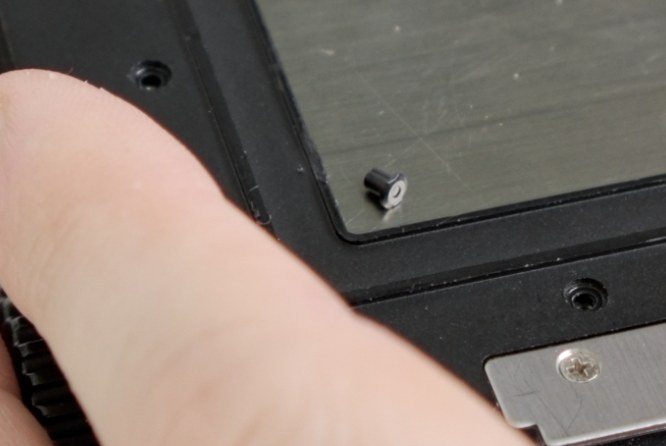
Set the loose peg somewhere safe while the front panel is off. 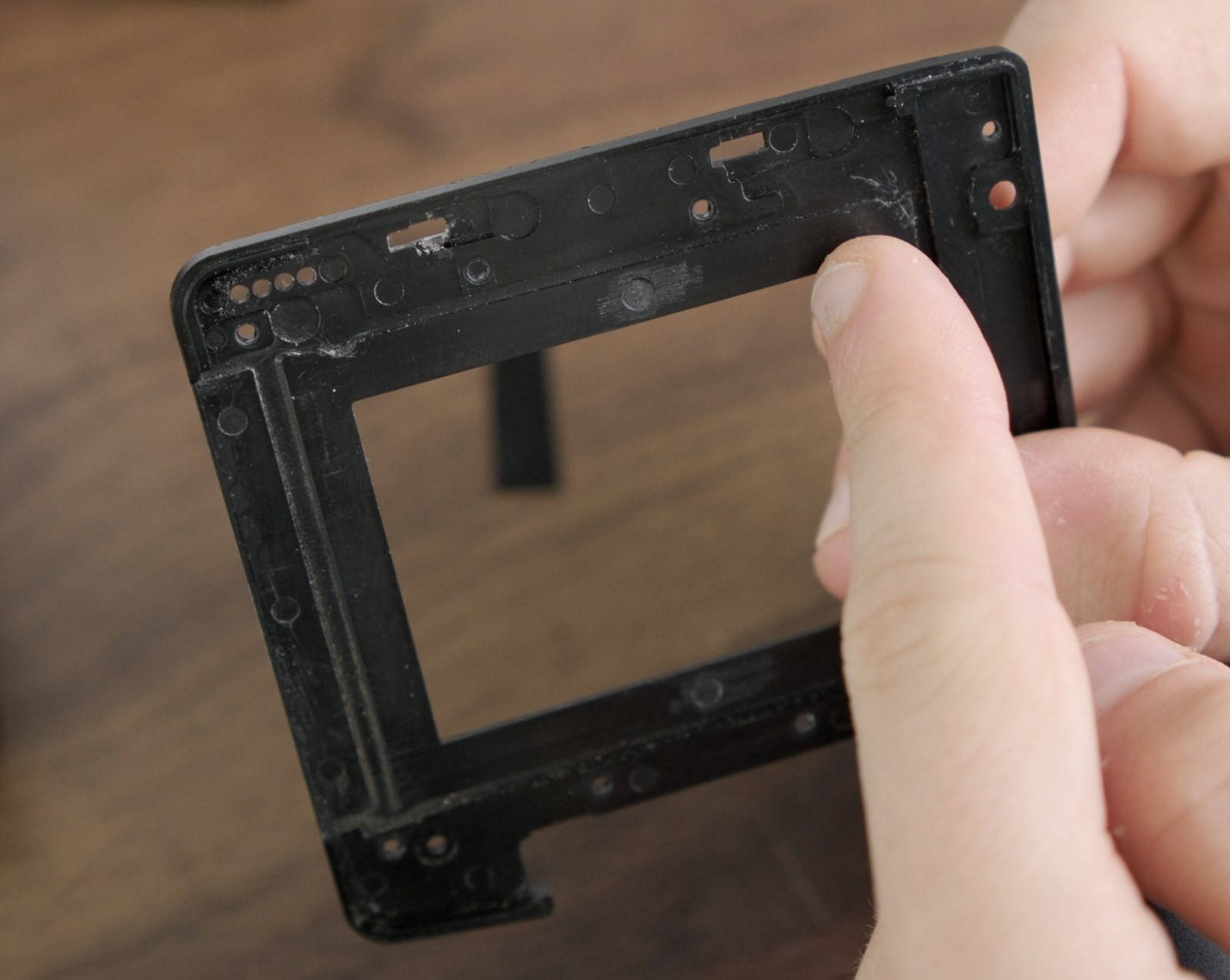
Once the panel is off, the molded top-left and top-right cutouts are your alignment references. -
Apply the vinyl mask to the film-facing side of the panel, adhesive down. Use the top-left and top-right cutouts as your main alignment references. Start with one corner and the top edge, then smooth the vinyl down without stretching it. The narrower connector between the vinyl strips goes on the darkslide side (left).
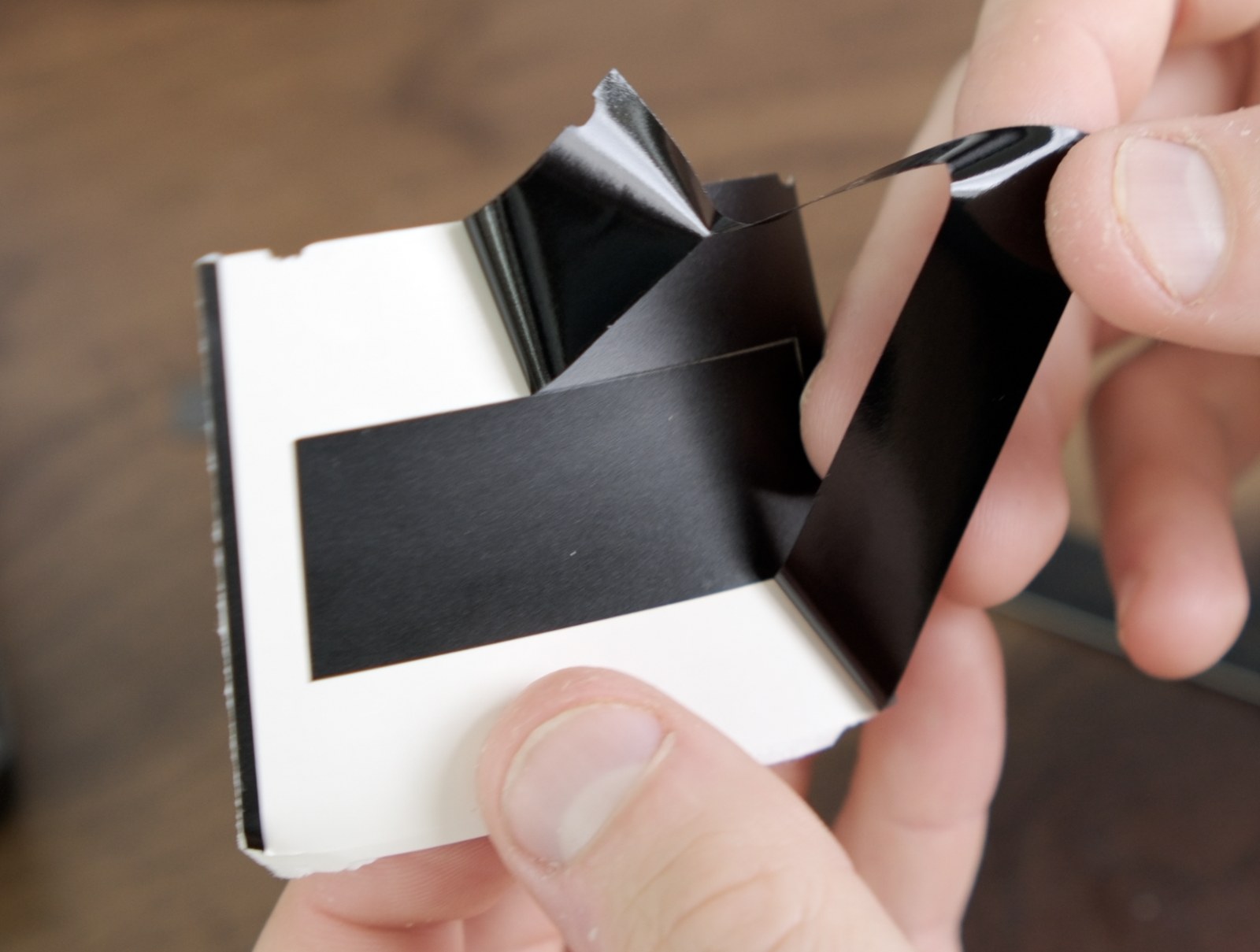
Peel the vinyl slowly so it stays flat and doesn't stretch. 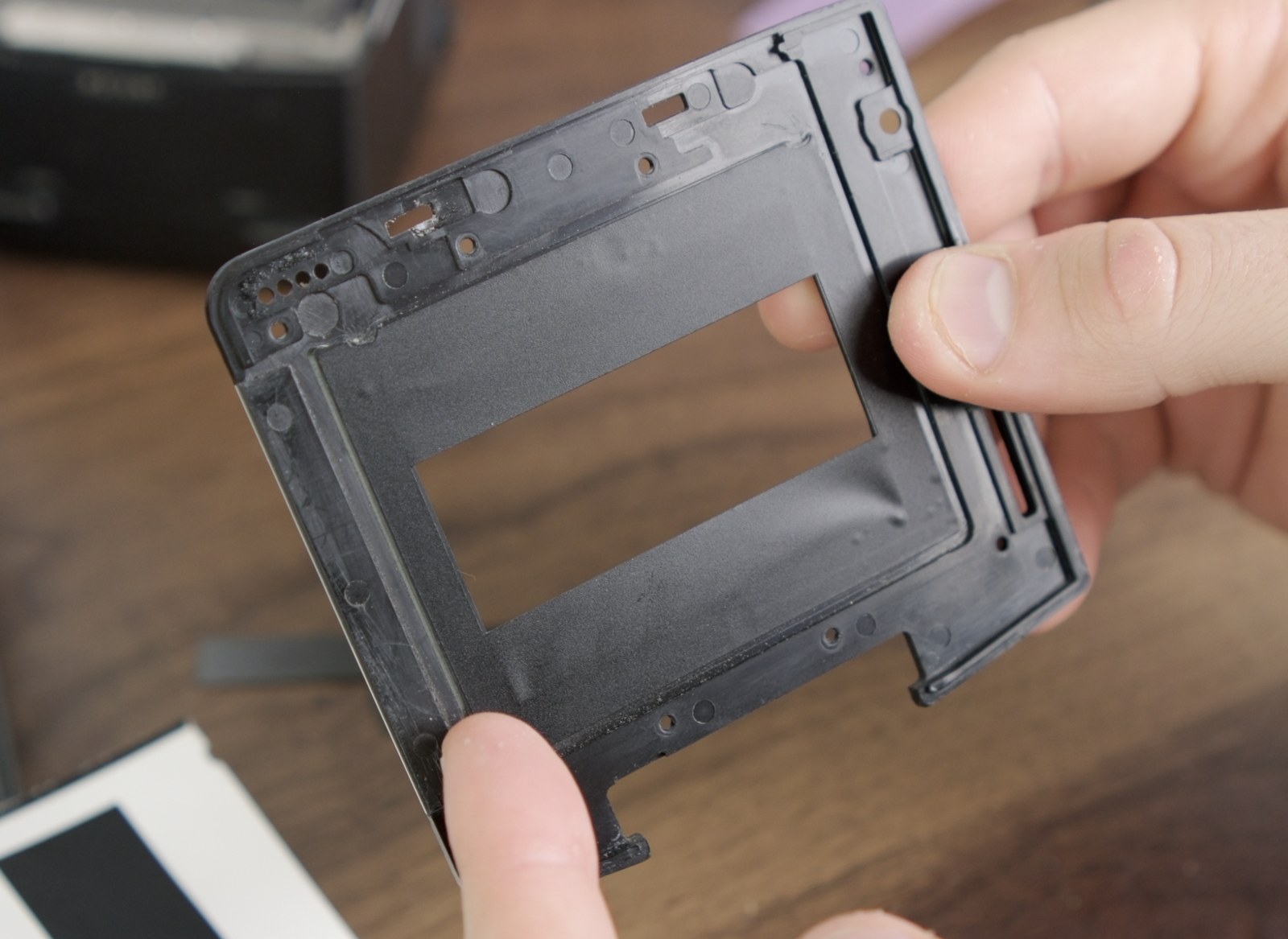
Before adding the PET strips, make sure the vinyl is flat and aligned to the molded cutouts. - Smooth the darkslide-side seam. Any crease here can catch the darkslide and eventually lift the vinyl. Spend an extra minute to get this edge flat.
-
Test-fit each PET masking strip before pressing it down. The rounded corners go into the corners of the original gate, not the masked window. The opening left by just the vinyl is intentionally a bit too large; the strips define the actual frame edges. This ensures that the final opening is perfectly straight and aligned.
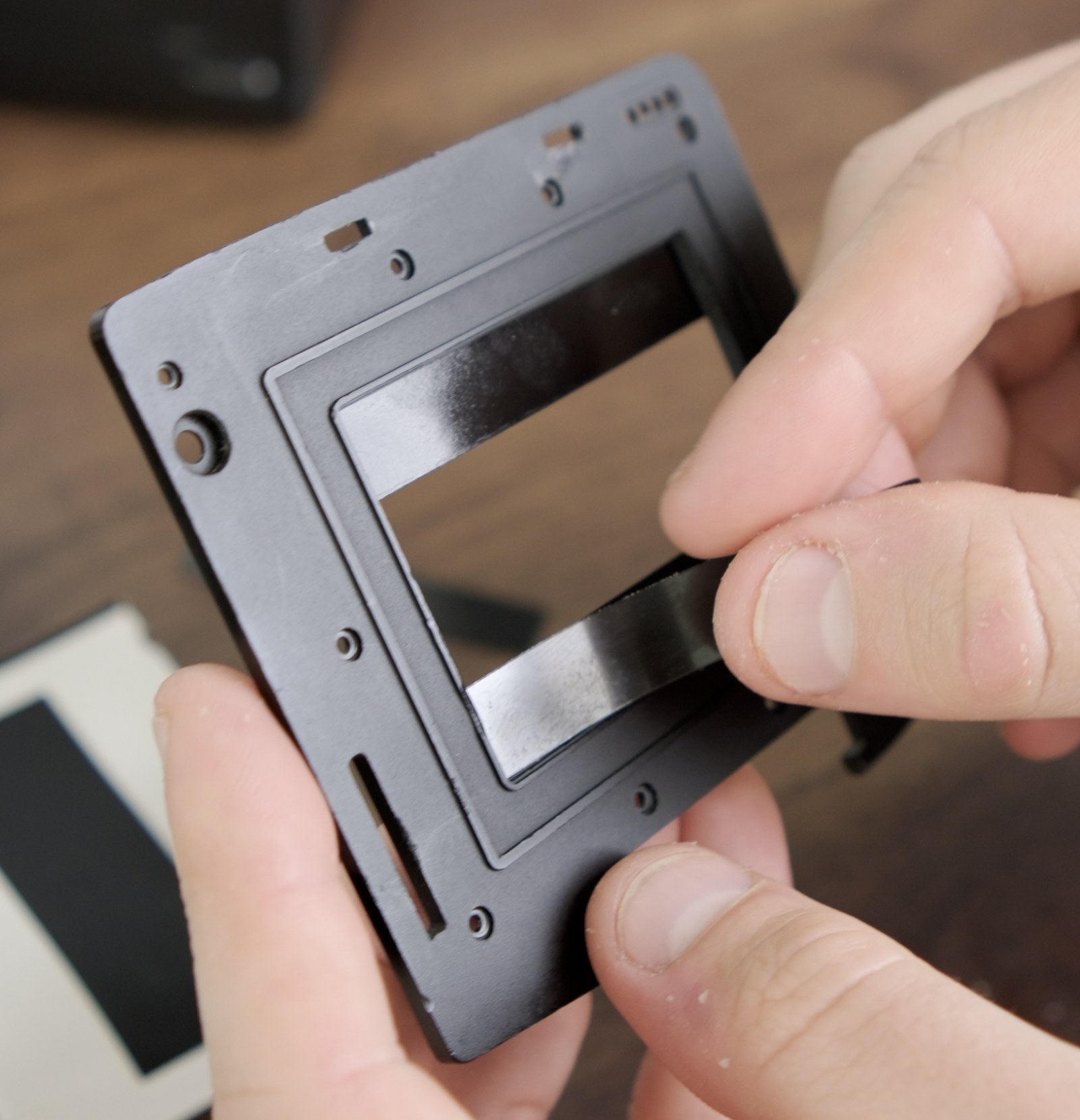
Place each PET strip on top of the installed vinyl and check the fit before pressing it down. 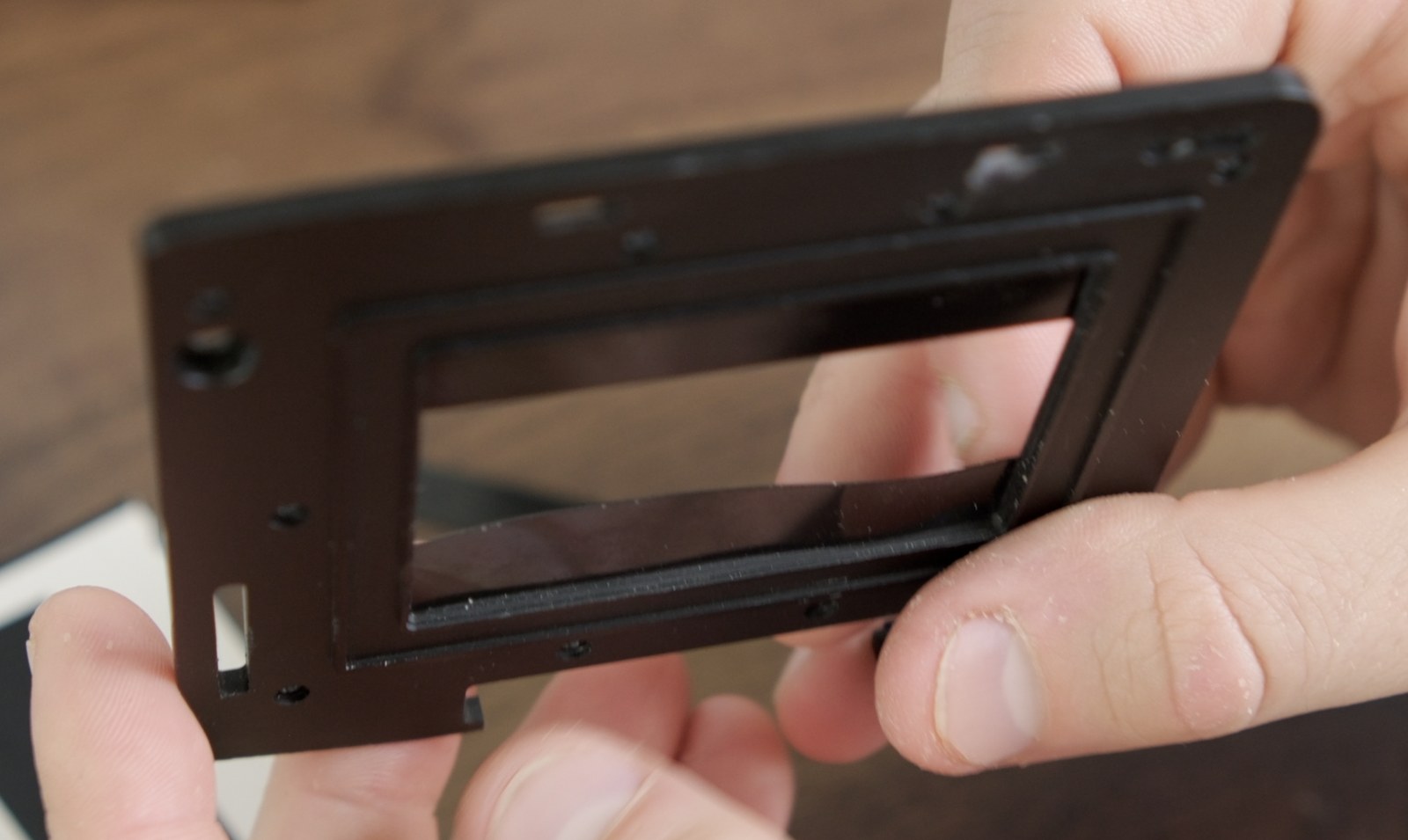
If a strip bows, fit the short ends before pressing it down. -
If a strip bows, fit only the short ends. Lightly sand or trim the left/right ends until the strip drops in flat.
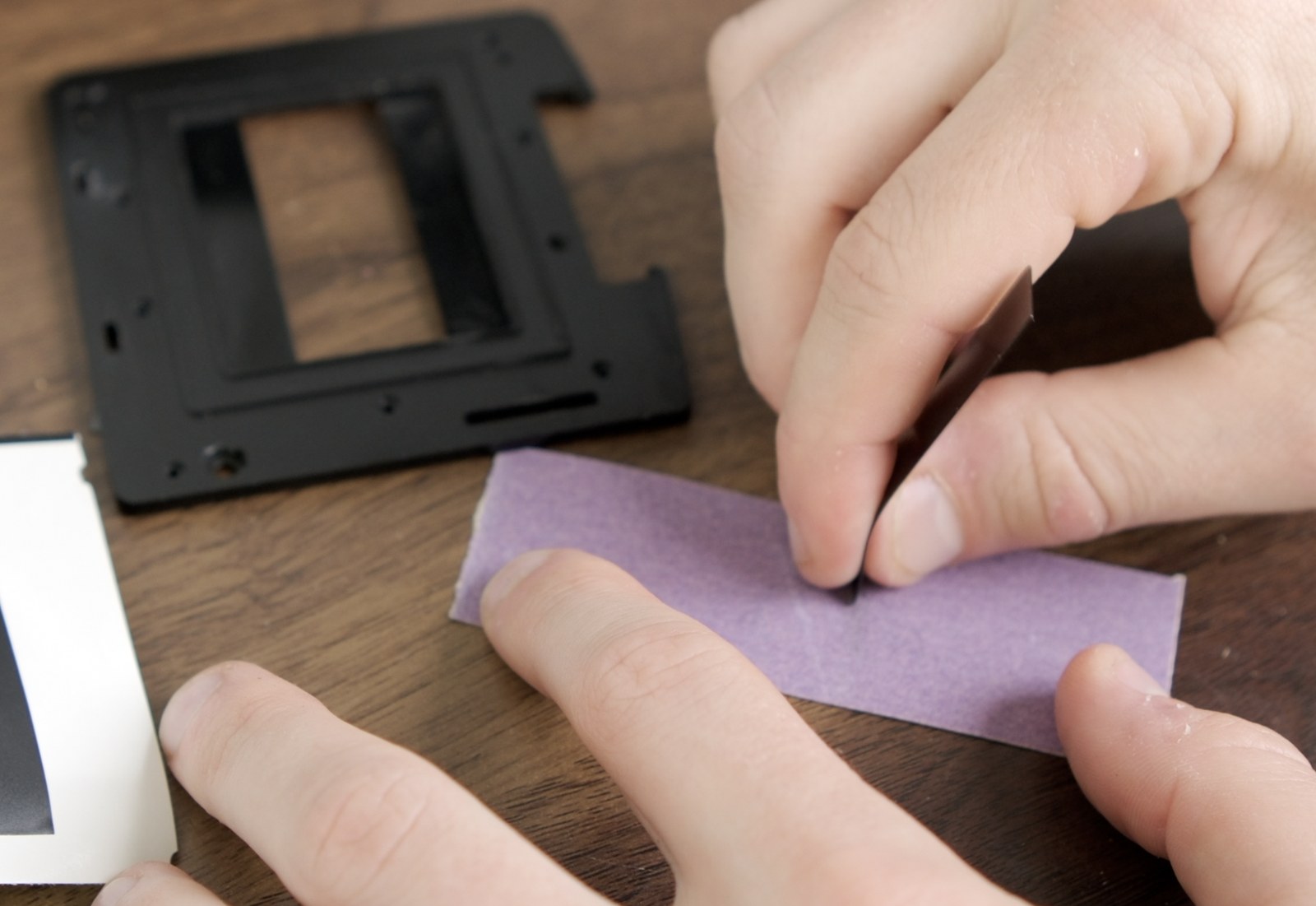
Sand only the short ends if the strip needs a tiny adjustment. 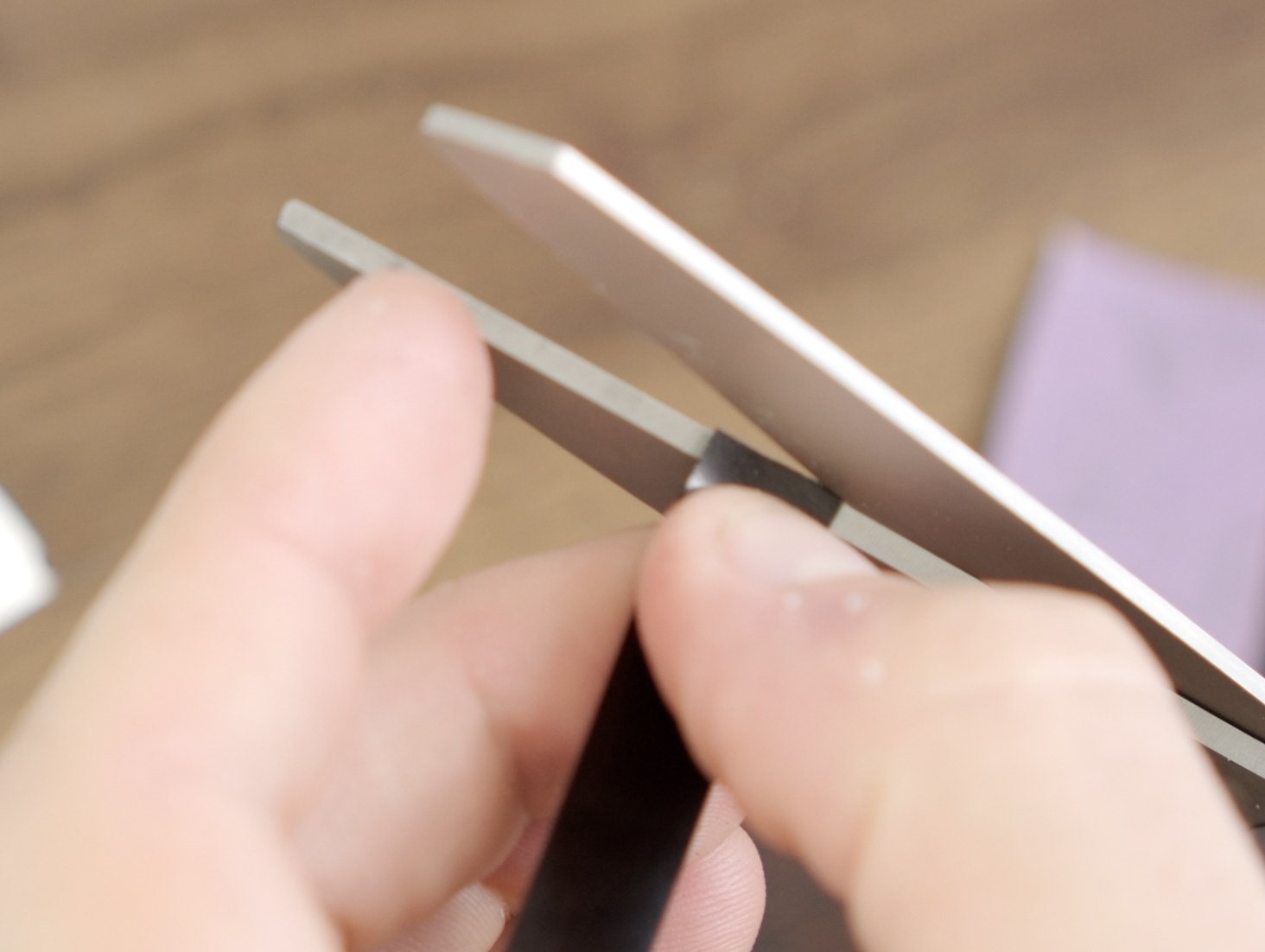
Trimming the short end is also fine; leave the image edge alone. -
Press the strips down and check straightness. Both strips should be parallel, and the gap between them should look consistent end to end.
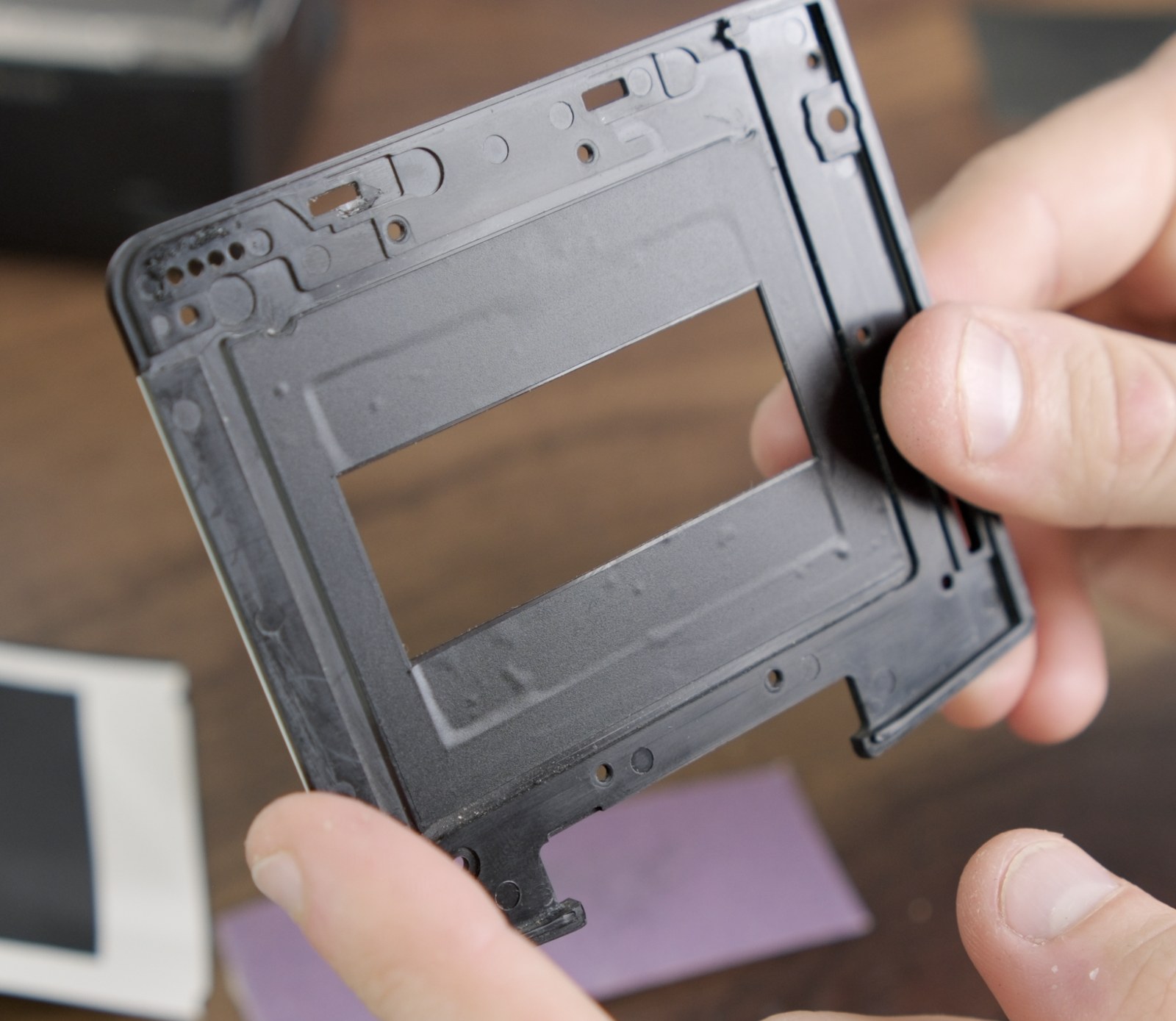
The finished film-facing side before the panel goes back on. -
Reinstall the front panel onto the back. Put the loose peg back on its dot, seat the panel, and screw it down.
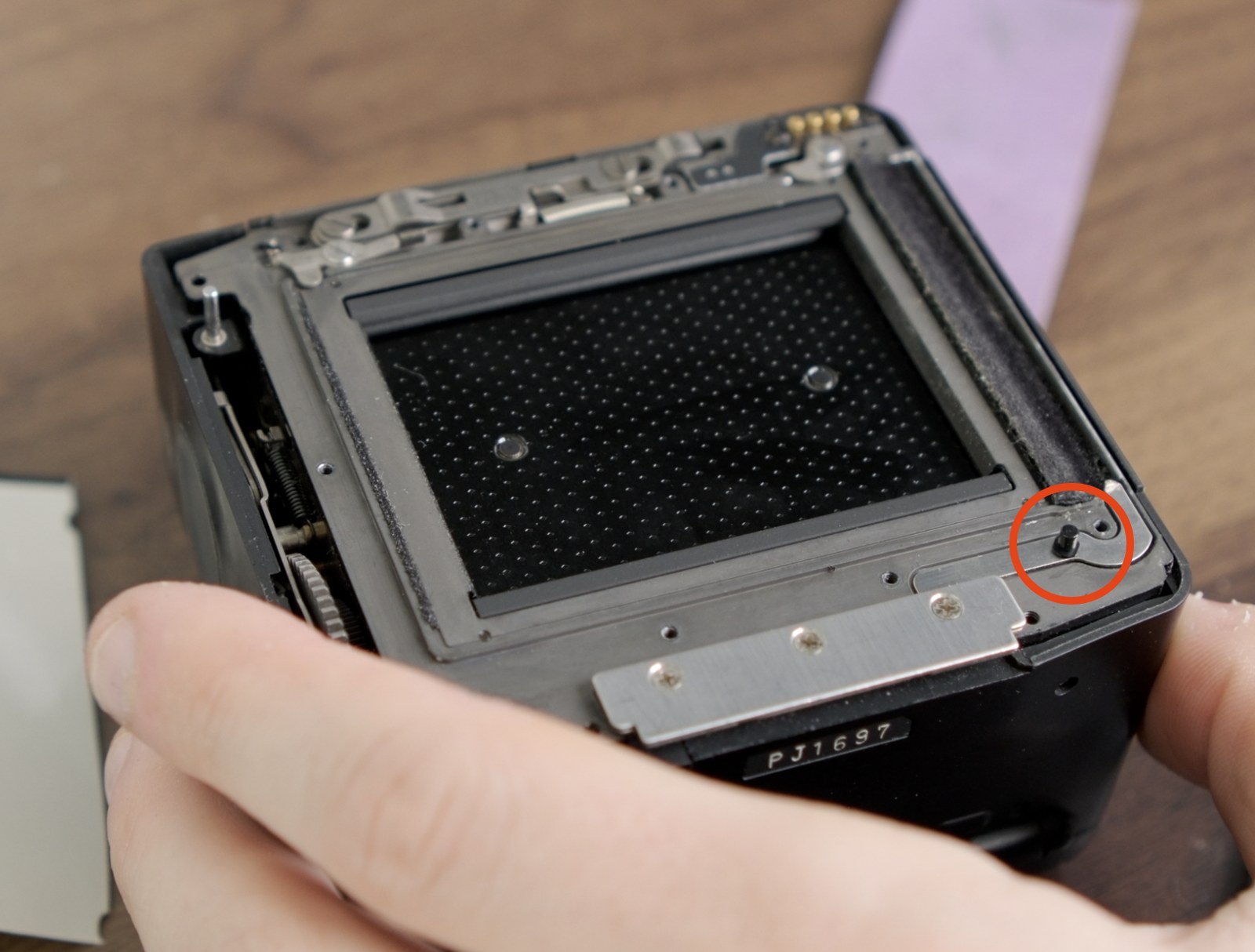
Put the loose peg back on this dot before seating the front panel. 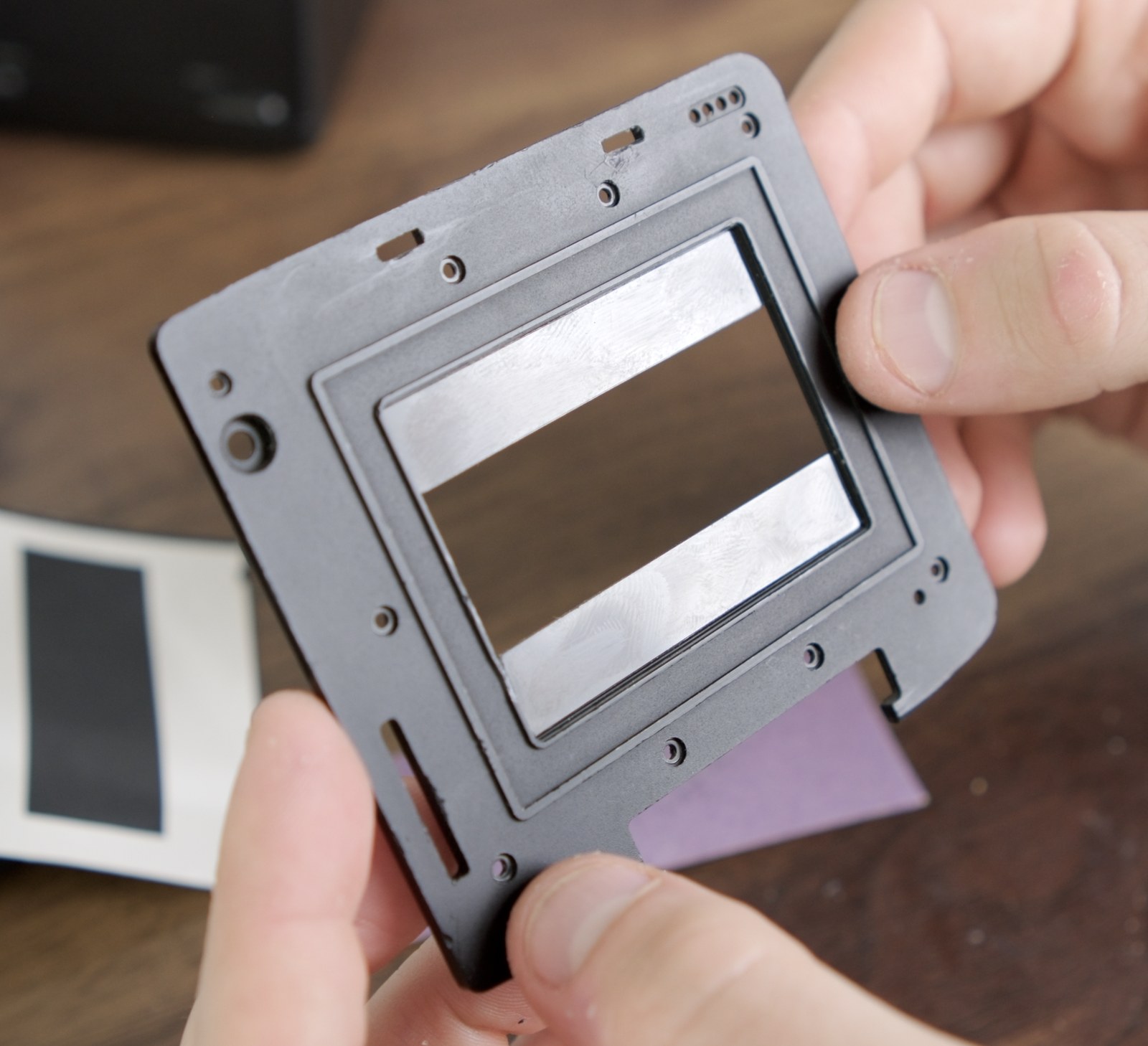
Confirm the panel sits normally before testing the darkslide. -
Test the darkslide. Insert and remove it several times. If it catches, check the vinyl seam on the darkslide side first. Remove the panel and smooth that edge again.
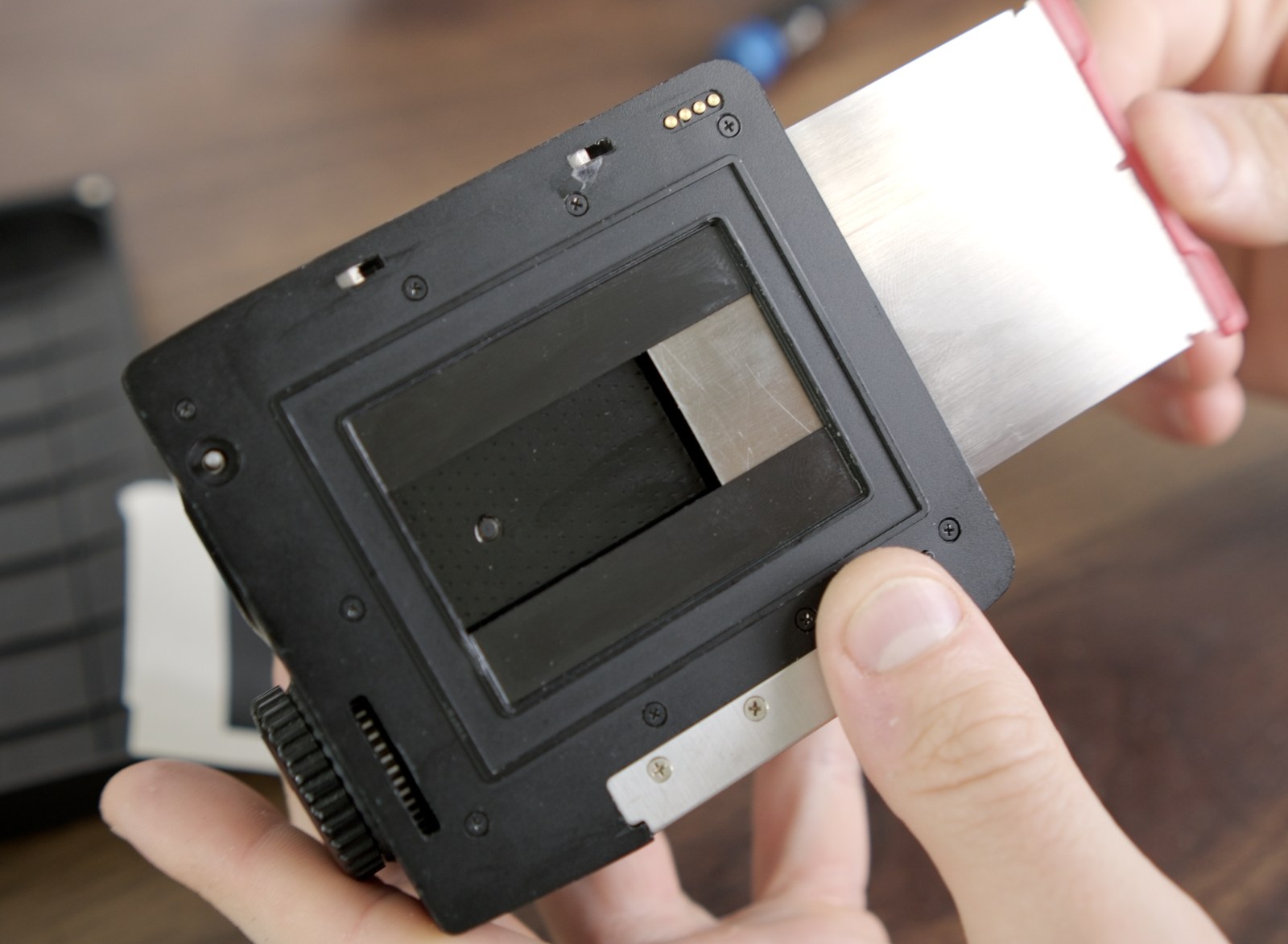
Insert and remove the darkslide several times before loading film. 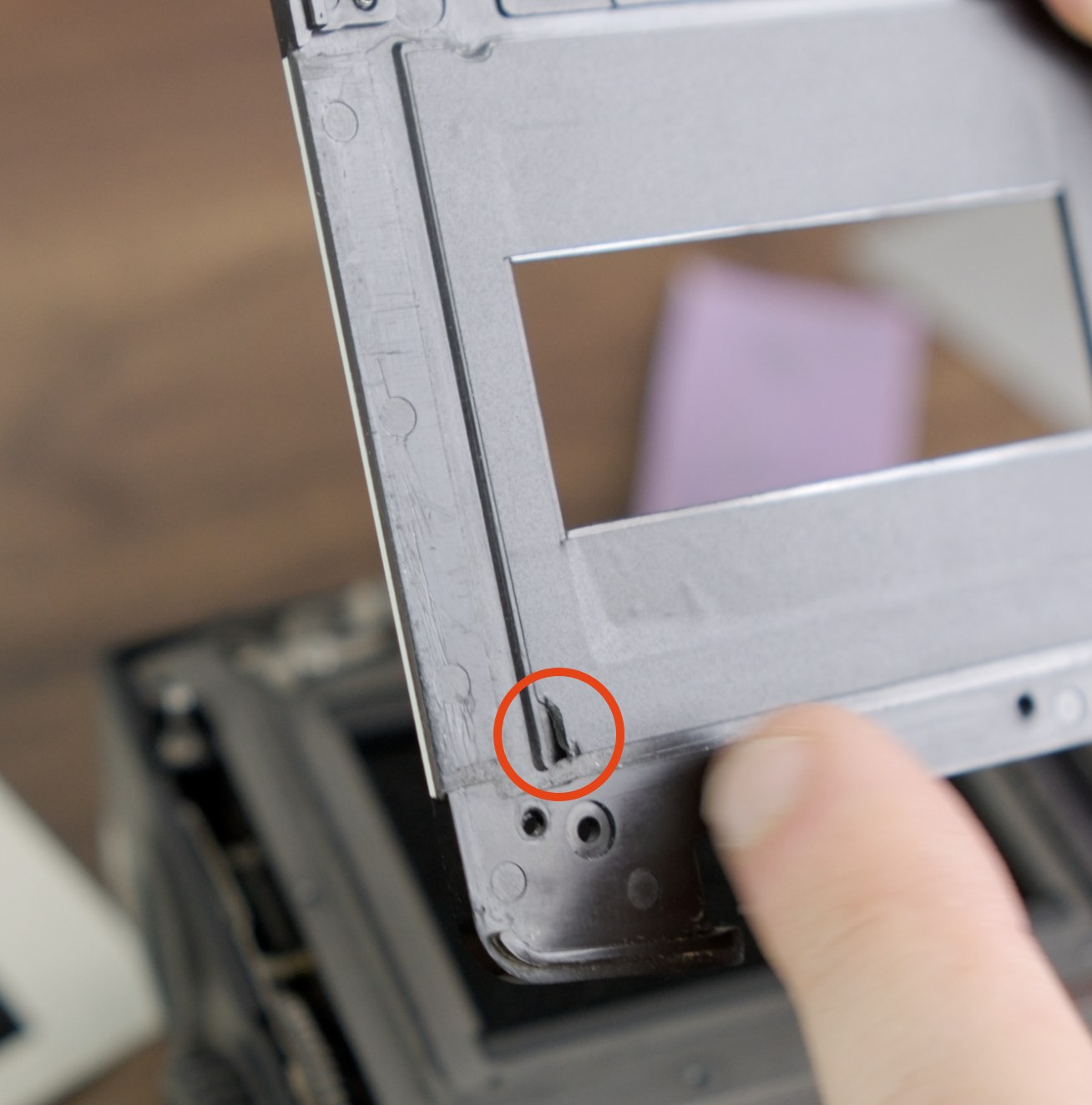
If it catches, look for a lifted vinyl edge on the darkslide side. -
Trim only the raised vinyl if smoothing isn't enough. If a small curl of vinyl is still sticking up, trim only that raised edge with a sharp blade.
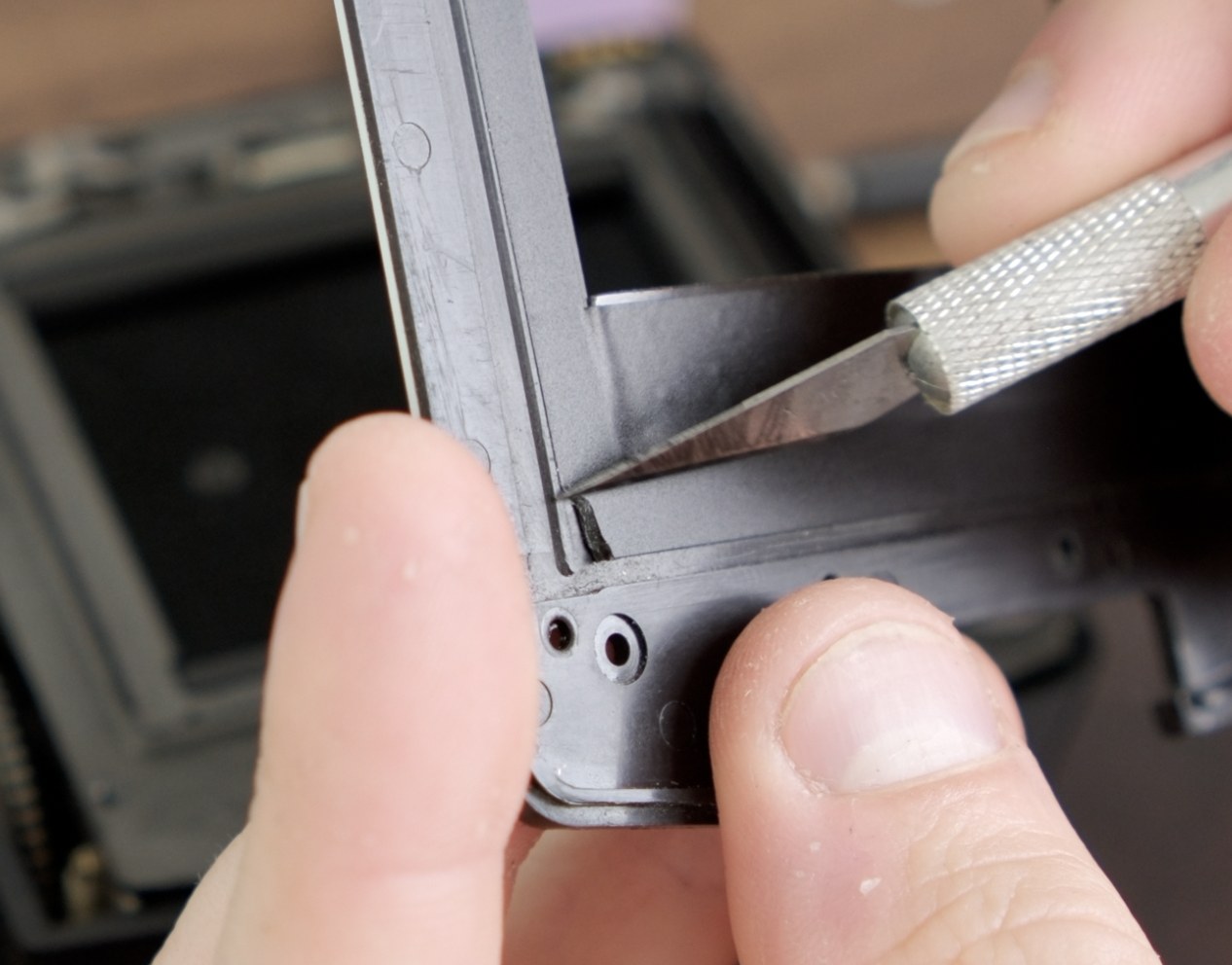
Trim only the raised vinyl edge, not the PET strip's image edge. 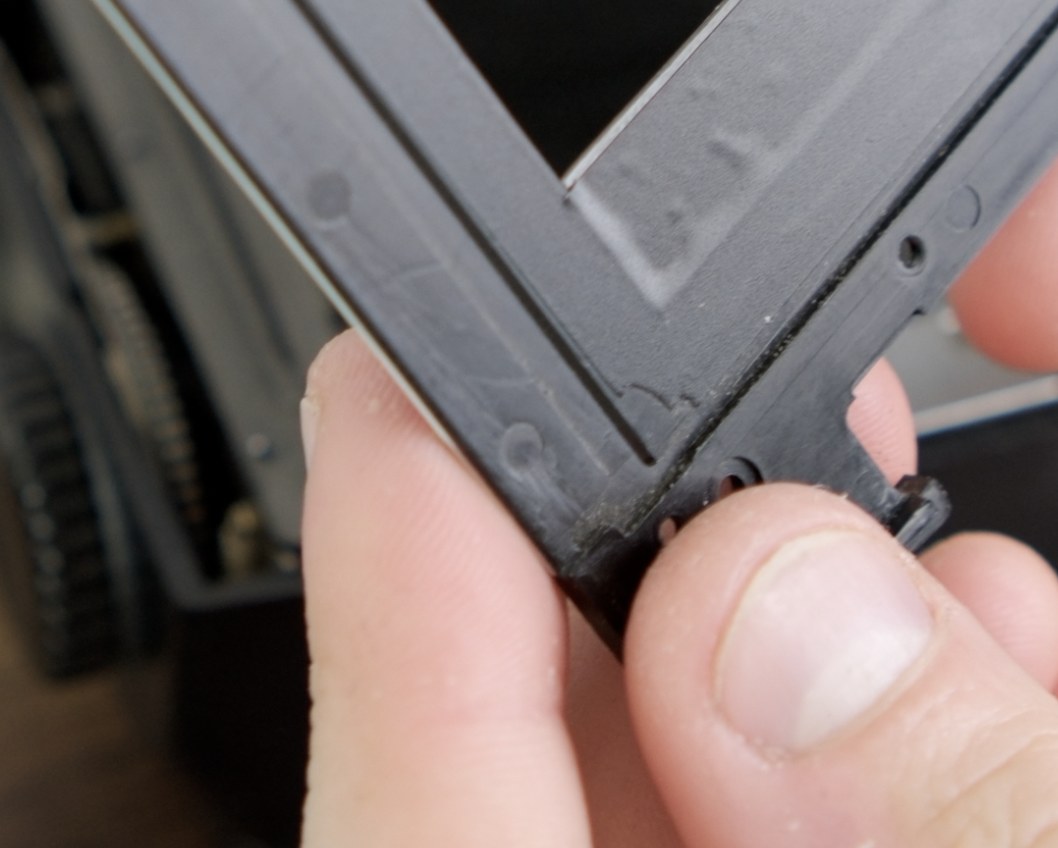
The darkslide-side seam needs to lie flat so it cannot catch. - Use the darkslide as a backing for final pressure. Once the panel is installed and the darkslide slides cleanly, insert the darkslide and press the vinyl and PET strips down firmly.
If a PET strip bows, trim the short ends. Old backs vary, so the strips can be a little wider than necessary. Trim the short left/right ends with sharp scissors, or lightly sand them, until the strip sits flat. Do NOT trim the long edges that define the image area.
Part 7 - Install the viewfinder overlay
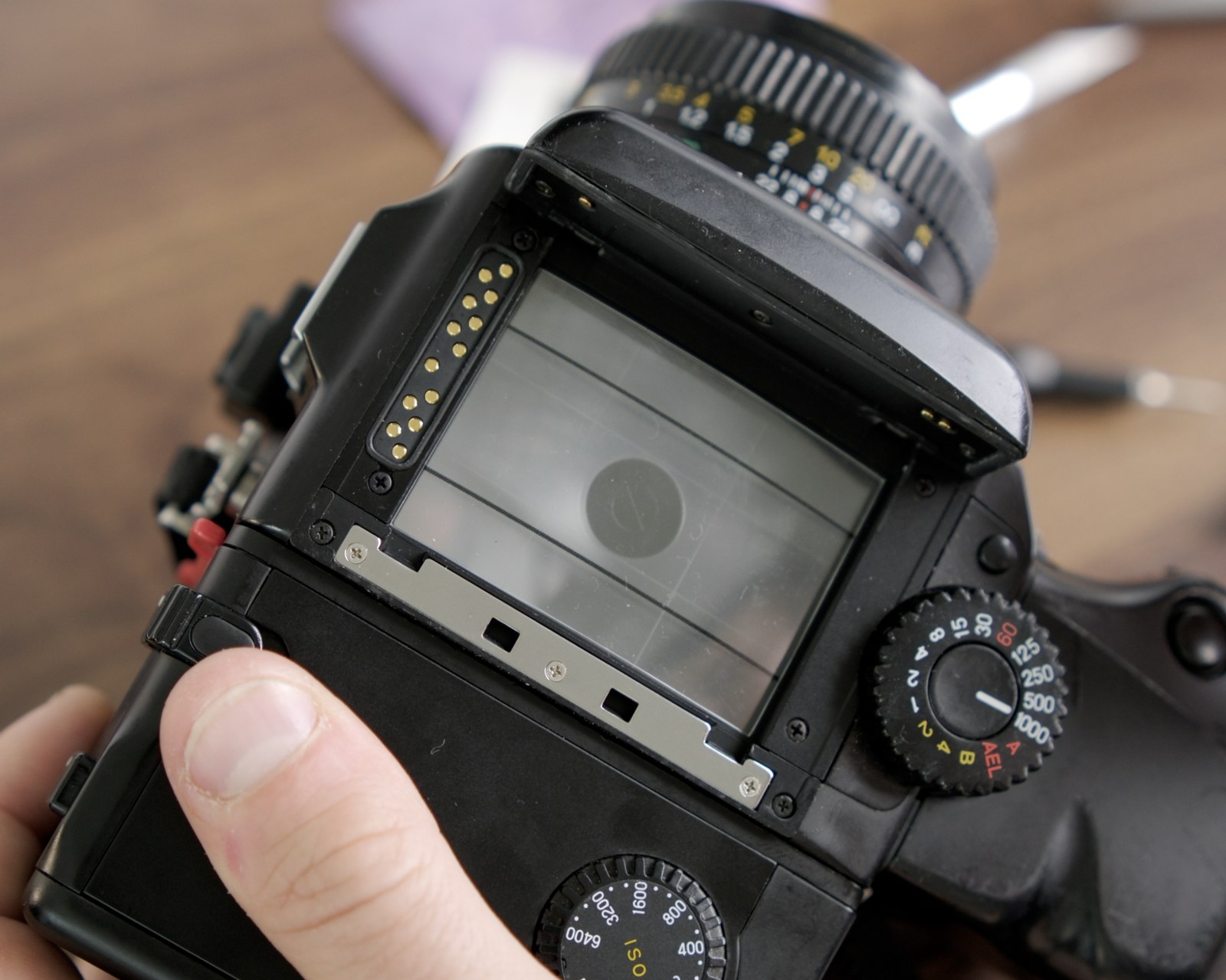
The overlay sits on top of the focusing screen and shows the panoramic frame lines in the finder. Since it's clear and doesn't black out the top or bottom of the viewfinder, it shouldn't noticeably affect average metering.
- Remove the prism / viewfinder from the camera body.
- Place the overlay on top of the focusing screen. The overlay is non-adhesive - the weight of the prism holds it in place.
- Reinstall the prism. Look through the viewfinder. You should see the panoramic frame lines. Use the same metering mode you normally use.
Part 8 - First roll
- Run a few full dry tests before loading film. Don't load film until you've confirmed that you can reliably reach 30 exposures.
- Use cheap film for your first roll. If something goes wrong, you don't want it happening on a roll of Velvia.
- Develop and inspect. Look at the negative strip flat on a light table. Frames should be evenly spaced with consistent gaps. Slight spacing variation is normal in old mechanical backs, but repeated overlap or completely missed frames means you should go back to Part 4/5. If you're still stuck after that, please contact support.
Reverting to standard 645
To go back to standard 15-frame 645:
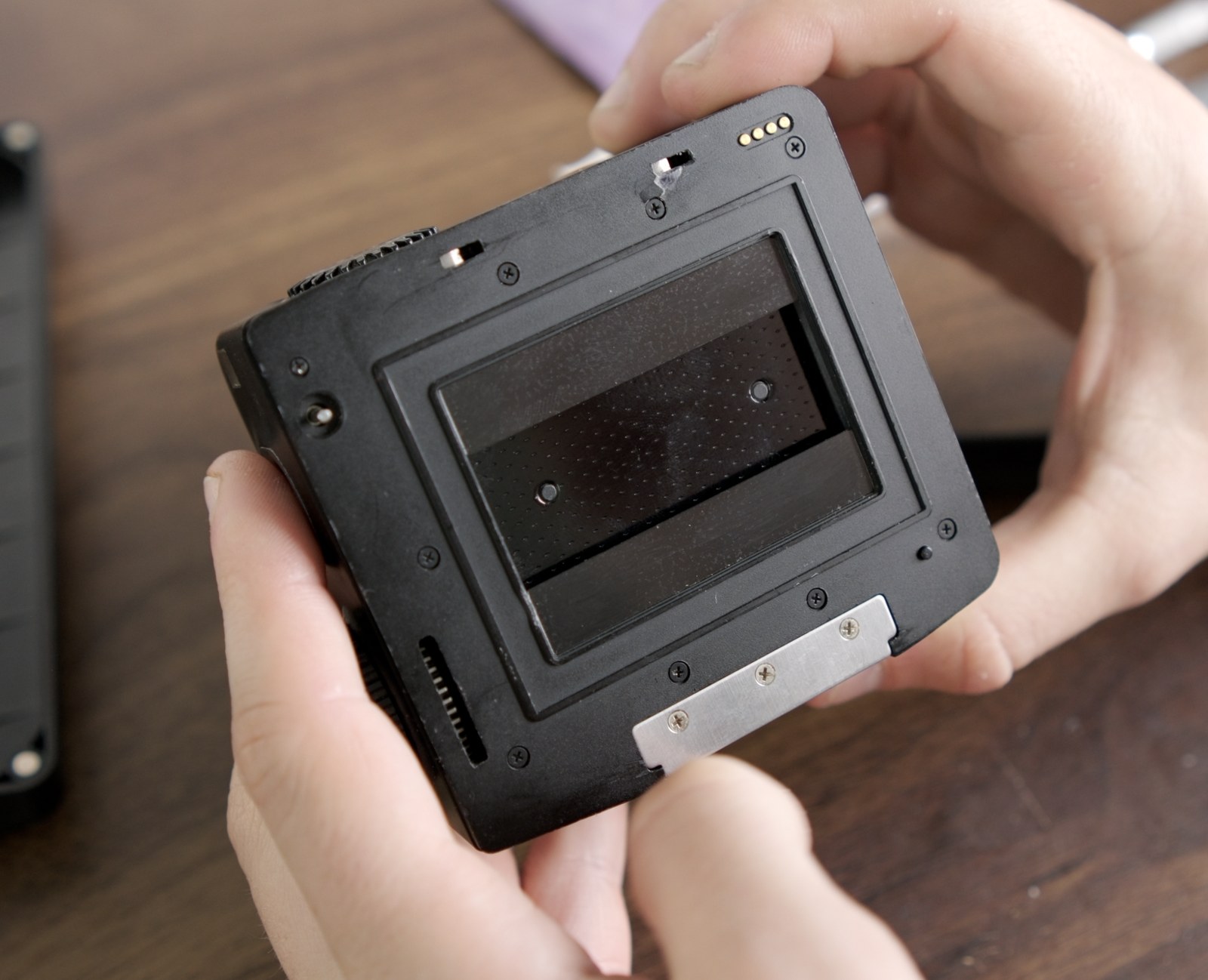
- Remove the gate mask (peel off the vinyl and PET strips).
- Lift out the viewfinder overlay.
- Open the back, lift out the frame spacing assembly, and swap the OEM 9-notch disc back in.
- Reinstall the assembly, optional E-ring if desired, frame counter disc and spring, lever plate, and covers.
Help
If you get stuck, email support@mamiyapanpro.com with photos of the back, the assembly, and a short description of what is happening. The more detail, the better. The launch video on No Grain No Gain walks through the install if you need video reference.